Skip to content

Functions

docs.scrimba.com

Say you are pricing items in a cart. You take a number, add tax, round it, and format it with a currency symbol. Then you need to do it again for the next item, and the next. Copying those four steps everywhere is how bugs get in: fix the rounding in one place and you have three more copies still wrong. A function lets you name that block of steps once and run it whenever you need it. This chapter is about writing those blocks, feeding them inputs, and getting values back out.

Declaring and calling a function

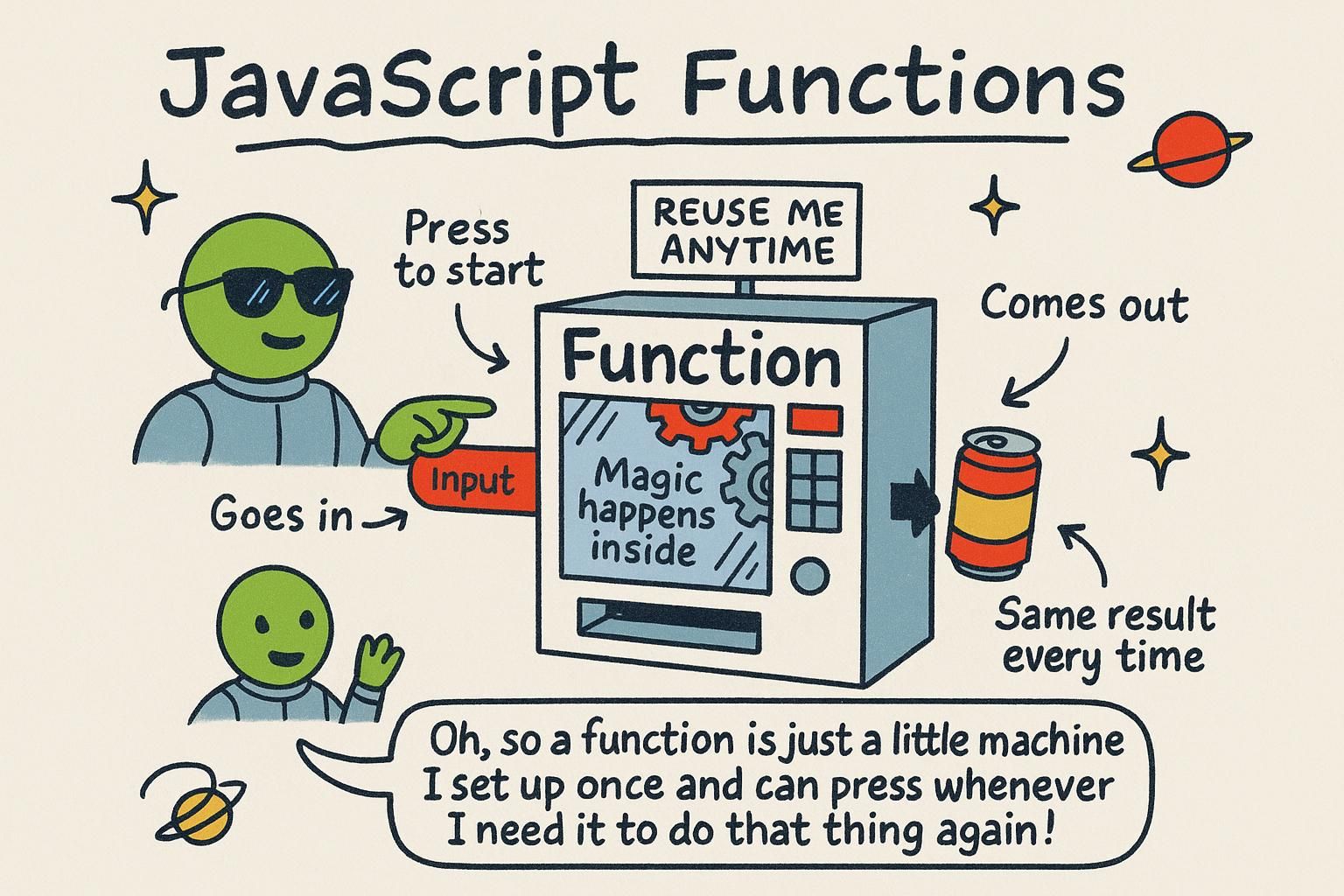
A function is a named block of code you can run whenever you want. You write the steps once, give them a name, and then run them by that name as many times as you like.

You make one with the function keyword:

js
function greet() {
  console.log("Hi there");
}

That is the whole definition, but nothing has happened yet. Writing a function stores the steps; it does not run them. To actually run it, you call it by writing its name followed by parentheses:

js
greet(); // Hi there

Two lines, two greetings, from one block of code. Defining and calling are separate things, and mixing them up is the first thing that trips people.

A function wraps a block of code under a name so you can run it on demand. You define it once with the function keyword, then call it as many times as you need:

js
function logDivider() {
  console.log("----------");
}

logDivider(); // ----------

The definition sets up the steps but runs nothing. A function runs only when you call it with (). The name on its own, logDivider, is the function value; the parentheses are what invoke it. That distinction matters the moment you start passing functions around, because logDivider and logDivider() are two different things: one is the function, the other is the result of running it.

A function is a reusable block of code bound to a name. The function keyword here creates a function declaration: a named function hoisted to the top of its scope, meaning you can call it on a line above where you wrote it and it still works.

js
countdown(); // works: declarations are hoisted

function countdown() {
  console.log("Ready");
}

That hoisting is specific to the declaration form; the other ways to define a function later in this chapter do not share it. The name and the call are distinct values: countdown evaluates to the function itself (you can store it, pass it, compare it), while countdown() evaluates to whatever running the function produces. Conflating the two is behind a large share of "why is this undefined" confusion, and keeping them separate is a habit worth building now, before functions start getting passed as arguments to other functions.

Give a function a clear, verb-like name for what it does (greet, logDivider), the same care you take when naming variables. A function you call in ten places is only as readable as its name.

JunoDeclaring and calling a function Writing a function stores the steps; it does not run them. To run it, you call it by name with parentheses, like greet(). That split confused me at first: the definition is the recipe, the call is actually cooking. You can call the same function as many times as you want.
JunoDeclaring and calling a function Defining a function and calling it are two separate acts. The function block sets up the steps and runs nothing until you add (). Keep greet and greet() straight in your head: one is the function value, the other is the result of running it. That difference bites the first time you pass a function somewhere.
JunoDeclaring and calling a function The function keyword makes a declaration, which hoists, so you can call it above where it sits. That is unique to this form; expressions and arrows do not hoist the same way. And countdown is the function while countdown() is its result, a distinction that stops mattering less as you start passing functions as values.

Parameters and return values

A function is more useful when you can feed it something. The values you feed in are parameters: names listed in the parentheses that stand in for whatever you pass when you call it.

js
function greet(name) {
  console.log("Hi " + name);
}

greet("Sam"); // Hi Sam
greet("Priya"); // Hi Priya

name is the parameter. When you call greet("Sam"), the text "Sam" slots into name for that run. One function, different results, depending on what you hand it.

So far these functions print something. Often you want a function to hand a value back instead, so you can use it later. That is what return does:

js
function double(number) {
  return number * 2;
}

const result = double(5);
console.log(result); // 10

return sends a value out of the function. double(5) becomes 10, and you can store it, print it, or pass it on. Printing shows a value on screen; returning gives it back to your code to keep using.

Functions take inputs through parameters: the names in the parentheses. The values you pass at the call site are the arguments that fill them.

js
function priceWithTax(price, rate) {
  return price + price * rate;
}

const total = priceWithTax(40, 0.2);
console.log(total); // 48

price and rate are parameters; 40 and 0.2 are the arguments for this call. The return statement hands a value back to whoever called the function, so priceWithTax(40, 0.2) evaluates to 48 and you can store it in total.

The difference between logging and returning is worth pinning down. A function that calls console.log shows you something and evaluates to undefined; a function that uses return produces a value your program can keep working with. return also ends the function immediately: any lines after it do not run. If you leave return off entirely, the function still returns undefined, which is a common surprise when you expected a value back and got nothing.

Parameters are the function's named inputs; arguments are the concrete values bound to them at the call site. The return statement produces the function's output value and ends execution immediately, so it doubles as an early exit:

js
function classify(score) {
  if (score < 0) {
    return "invalid";
  }
  if (score >= 60) {
    return "pass";
  }
  return "fail";
}

console.log(classify(72)); // pass
console.log(classify(-3)); // invalid

Each return both yields a value and stops the function, so once one branch fires, nothing below it runs. That early-exit pattern (validate and bail first, handle the main case last) keeps you out of deeply nested conditionals.

The distinction that matters in real code is between a function that returns and one that only produces a side effect (writing to the console, changing something outside itself). console.log performs a side effect and the function evaluates to undefined; return produces a value the caller can compose with. A function with no return, or a bare return with nothing after it, yields undefined. Reaching for a returned value from a function that only logs is a frequent bug, and the fix is almost always to return the value and log it at the call site instead.

JunoParameters and return values Parameters are the names in the parentheses that stand in for values you pass in, so one function can give different results. return hands a value back so your code can use it later. Printing with console.log shows it on screen; returning gives it back to you. Took me a while to feel that difference.
JunoParameters and return values Parameters are the names in the definition, arguments are the values you pass at the call. return hands a value to the caller and ends the function on the spot. A function that only logs evaluates to undefined, so if you expected a value and got nothing back, check whether you actually returned it.
JunoParameters and return valuesreturn yields a value and exits, which makes validate-and-bail-early a clean pattern. Watch the split between returning a value and doing a side effect like console.log: the logging function evaluates to undefined. When you reach for a result and get nothing, you almost always logged where you meant to return.

Arrow functions

There is a shorter way to write a function, called an arrow function. You store it in a variable and use the => arrow instead of the function keyword:

js
const add = (a, b) => {
  return a + b;
};

console.log(add(2, 3)); // 5

When the function is a single expression like this, you can drop the braces and the return and let the arrow hand the value back for you:

js
const add = (a, b) => a + b;

console.log(add(2, 3)); // 5

Both do the same thing. You will see arrow functions everywhere in modern JavaScript, so it helps to recognise the shape: a name, an =, the inputs, an arrow, and the body.

An arrow function is a shorter syntax for writing a function, stored in a variable with =>:

js
const formatPrice = (amount) => `$${amount.toFixed(2)}`;

console.log(formatPrice(9.5)); // $9.50

When the body is a single expression, arrow functions have an implicit return: no braces, no return keyword, the expression's value is handed back automatically. Add braces and it behaves like a normal function body, where you write return yourself:

js
const formatPrice = (amount) => {
  const rounded = amount.toFixed(2);
  return `$${rounded}`;
};

Arrows are the idiomatic choice for short, single-purpose functions, especially the small ones you pass to other functions (you will meet those with array methods). For a top-level, reusable, named routine, a regular function declaration reads clearly and works well. Reach for arrows when brevity helps and the function is small.

An arrow function is a compact function expression written with =>. With a single-expression body it has an implicit return (the expression's value is returned with no return keyword); with a braced body you return explicitly, exactly like a regular function.

js
const applyDiscount = (price, percent) => price * (1 - percent / 100);

console.log(applyDiscount(80, 25)); // 60

Three ways to define a function coexist, and the differences are practical, not cosmetic:

  • A function declaration (function total() {}) is hoisted, so it is callable above its definition.
  • A function expression (const total = function () {}) is not hoisted the same way: the variable exists but holds undefined until the line runs, so calling it earlier throws.
  • An arrow function (const total = () => {}) behaves like an expression for hoisting and adds one key rule below.

The rule that sets arrows apart: they do not bind their own this. A regular function gets a this determined by how it is called; an arrow inherits this from the surrounding code instead. That distinction does not bite until you are writing methods on objects, so hold the fact and the reasoning lands there.

Two more tools worth using. Default parameters give a fallback when an argument is missing, so the function stays predictable:

js
const greet = (name = "there") => `Hi ${name}`;

console.log(greet("Sam")); // Hi Sam
console.log(greet()); // Hi there

And the habit that pays off most: prefer pure functions, ones whose output depends only on their inputs and that change nothing outside themselves (no side effects). applyDiscount above is pure: same inputs, same result, every time. Pure functions are the ones you can test in isolation, reason about without tracing the rest of the program, and reuse without surprises. Not everything can be pure (something has to log, fetch, and change state), but pushing your logic into pure functions and keeping the side effects at the edges is one of the highest-leverage habits in the language.

JunoArrow functions An arrow function is a shorter way to write a function, stored in a variable with => instead of the function keyword. When the body is one expression, you can drop the braces and return and the arrow hands the value back for you. You will see this shape constantly, so getting comfortable reading it pays off fast.
JunoArrow functions Arrows are the short form for functions, and a single-expression body gives you an implicit return: no braces, no return. Add braces and you write return yourself like normal. Reach for arrows on small, single-purpose functions; a plain function declaration still reads great for a top-level named routine.
JunoArrow functions Declarations hoist, expressions and arrows do not, and arrows also skip their own this, which only matters once you write object methods. Lean on default parameters for missing arguments, and push logic into pure functions whose output depends only on their inputs. Those are the ones you can test alone and reuse without tracing the whole program.

Where functions go from here

Functions are how you stop repeating yourself: name a block of steps, feed it inputs, get a value back. Once that clicks, most of the code you write becomes small functions calling other functions, each doing one clear job.

From here, functions show up everywhere. You will pass them to array methods to transform lists of data, use them to organise the branching logic from conditionals, and lean on the naming discipline you started with variables. The next time you catch yourself copying a block of code, that is the signal to wrap it in a function instead.