Skip to content

Data types

docs.scrimba.com

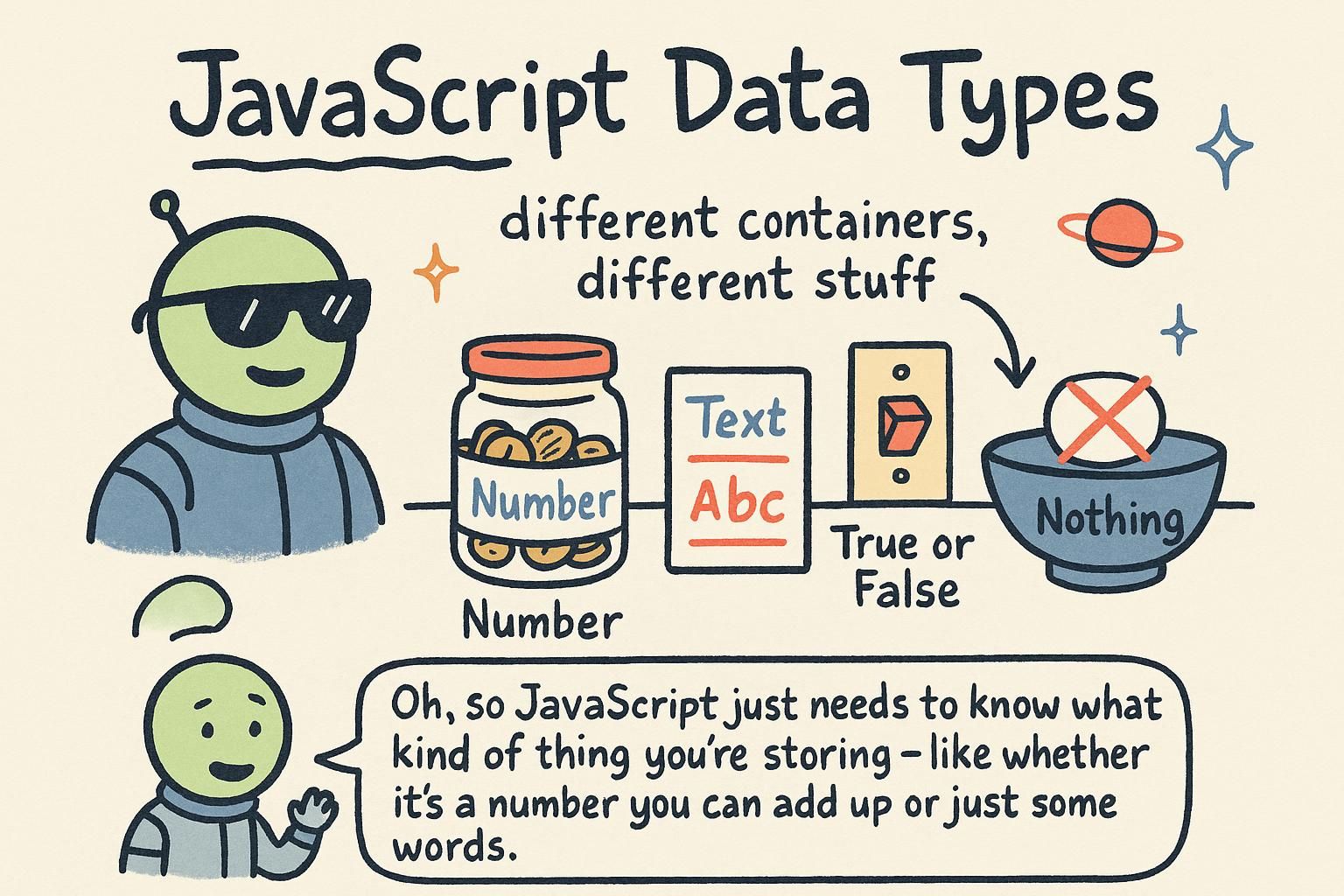
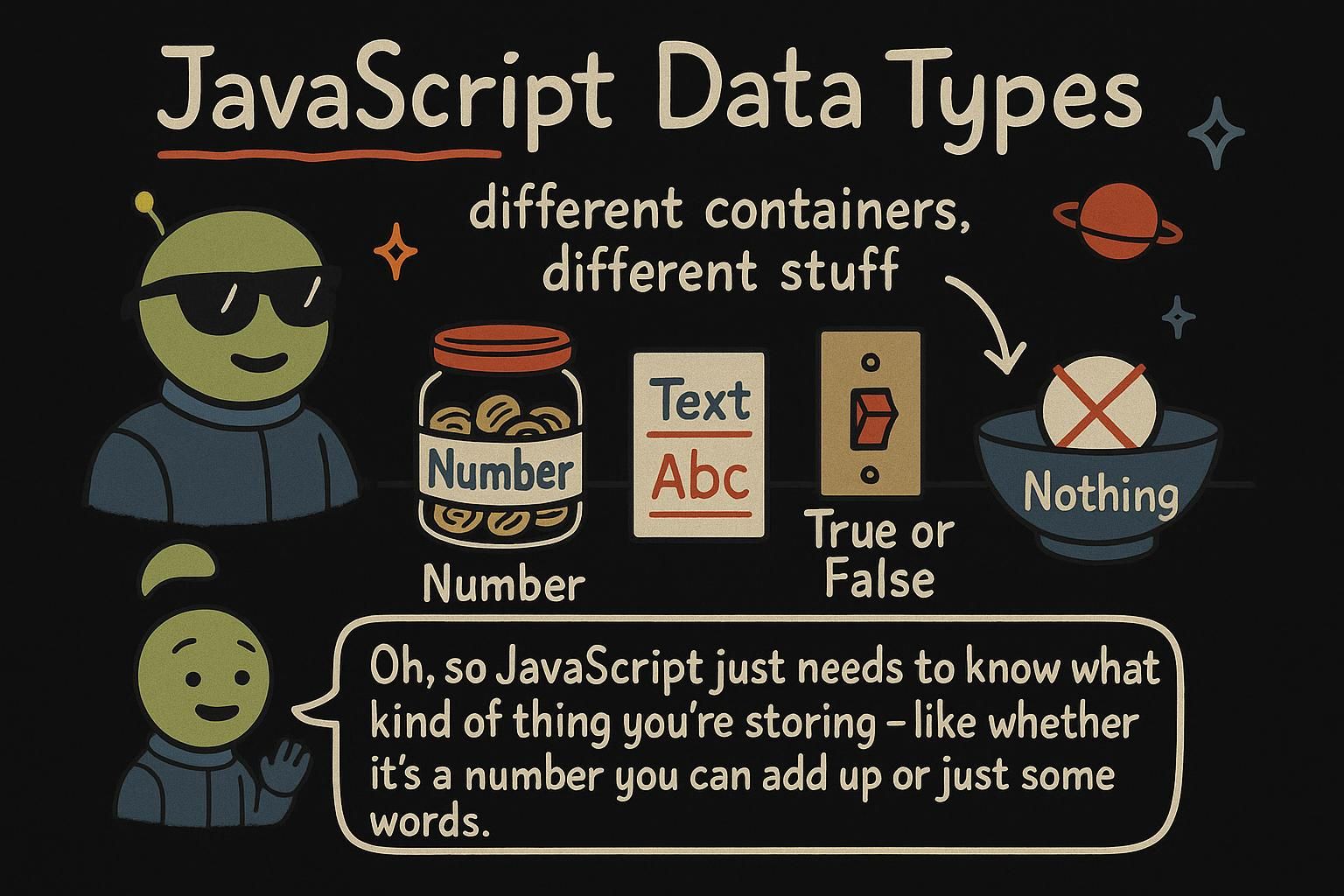
Store someone's name, their age, and whether they are logged in, and you have already used three different kinds of value. The name is text, the age is a number, and the logged-in flag is a yes-or-no. JavaScript treats each of these as a distinct type, and it handles each one differently. This chapter is about the handful of types you meet first, and how to tell which one you are holding.

The basic types

Three types cover most of what you store. A string is text, wrapped in quotes. A number is any number, for counting or measuring. A boolean is a yes-or-no value, and it has only two options: true or false.

js
const name = "Priya"; // a string: text
const age = 27; // a number
const isLoggedIn = true; // a boolean: true or false

You use a string for anything that reads like words: a name, a message, a colour. You use a number for anything you might count or calculate with. You use a boolean whenever the answer is one of two options, like whether a box is checked. You will see much more of these in strings and numbers.

JavaScript's everyday values fall into a few types, and three of them carry most of your data. A string is text in quotes, single or double, it does not matter which. A number is any numeric value. A boolean is one of exactly two values, true or false.

js
const productName = "Wireless mouse"; // string
const price = 24.99; // number
const inStock = true; // boolean

Each type has a job. Strings hold text you show or read, covered in strings. Numbers hold anything you calculate with, covered in numbers. Booleans hold a two-way answer and turn up everywhere a decision is made, because a comparison like price < 30 produces one.

JavaScript sorts values into a small set of types, and three of them account for most of the data you handle. A string is a sequence of characters written in quotes, single, double, or backticks for template literals. A number is a numeric value. A boolean is one of two values, true or false.

js
const currency = "EUR"; // string
const balance = 1499.5; // number
const isOverdrawn = balance < 0; // boolean, here the result of a comparison

The distinction between strings and numbers matters more than it first looks, because "5" and 5 behave differently: one is text that happens to contain a digit, the other is a value you can do arithmetic on. Booleans are worth noticing early because you rarely type them by hand. They come out of comparisons and logical checks, so the ability to read balance < 0 as "a boolean" is what makes later conditions and operators fall into place.

JunoThe basic types The three you reach for constantly: string for text in quotes, number for anything numeric, and boolean for a true or false answer. Pick the type that matches the kind of thing you are storing. A name is a string, an age is a number, a checkbox is a boolean.
JunoThe basic types Three types do most of the work: string for text, number for numeric values, boolean for one of true or false. Quotes make a string, so "5" is text, not a number. Booleans usually arrive as the result of a comparison rather than something you type out.
JunoThe basic types Strings, numbers, and booleans carry most of your data, and the string-versus-number line is the one that bites: "5" is text, 5 is arithmetic. You almost never write a boolean literal, because comparisons like balance < 0 hand you one. Reading a comparison as "this is a boolean" is what makes conditions later click into place.

Nothing: null and undefined

Sometimes a value is missing, and JavaScript has two ways to say so. undefined means no value has been given yet. If you make a variable without setting it, its value is undefined.

js
let score;
console.log(score); // undefined

null means empty on purpose. You use it yourself, to say "this has no value right now, and I meant that".

js
let winner = null;
console.log(winner); // null

The short version: undefined is JavaScript saying "nothing here yet", and null is you saying "nothing here, deliberately".

Two values both stand for "no value", and the difference is who set them. undefined is what JavaScript gives you by default: a variable declared without a value, for example, starts as undefined.

js
let selectedColor;
console.log(selectedColor); // undefined

null is a value you assign yourself to mark something as deliberately empty, a slot you have cleared or not filled yet.

js
let couponCode = null;
console.log(couponCode); // null

undefined is the default absence; null is the deliberate one. That split is the useful way to read them: if you see undefined, something was never set; if you see null, someone chose to empty it.

Both null and undefined represent absence, and the convention that separates them is about intent. undefined is the absence JavaScript produces on its own: a declared-but-unassigned variable, a missing property, a function that returns nothing.

js
let discount;
console.log(discount); // undefined

null is the absence you assign deliberately, to signal "intentionally empty" rather than "not yet touched".

js
let appliedCoupon = null;
console.log(appliedCoupon); // null

Keeping the two apart is a real signal in a codebase: undefined tends to mean nobody has set this, which can point at a bug or an unfinished path, while null reads as a considered choice. They also do not behave identically under later checks, which is why blurring them causes confusion once comparisons and operators enter the picture. Treat undefined as the machine's default and null as your explicit "empty", and their behaviour stops feeling random.

JunoNothing: null and undefined Two ways to say "no value". undefined is JavaScript's default when nothing has been set yet. null is the one you write yourself to mean "empty on purpose". If you never gave a variable a value, expect undefined.
JunoNothing: null and undefined Both mean absence, the difference is who set it. undefined shows up on its own, like a variable declared without a value. null is the one you assign to mark something as deliberately empty. Reading them that way tells you whether an absence was an accident or a choice.
JunoNothing: null and undefined Convention does the heavy lifting here: undefined is the absence JavaScript hands you, null is the absence you assign on purpose. So undefined often flags "nobody set this", which can be a bug, while null reads as intent. Keep them distinct and later comparisons stop surprising you.

Checking a type with typeof

When you are not sure what type a value is, typeof tells you. Put it in front of a value and it hands back a string naming the type.

js
console.log(typeof "Priya"); // "string"
console.log(typeof 27); // "number"
console.log(typeof true); // "boolean"

Notice the answer is always text, a string like "number", not the type itself. That is handy when you want to check what you are dealing with before you use it.

typeof reports a value's type as a string. Place it before any value and you get back "string", "number", "boolean", and so on.

js
const label = "checkout";
console.log(typeof label); // "string"
console.log(typeof 24.99); // "number"
console.log(typeof false); // "boolean"
console.log(typeof undefined); // "undefined"

There is one quirk worth knowing now, because it surprises everyone the first time: typeof null is "object", not "null".

js
console.log(typeof null); // "object"

This is a long-standing bug in the language that was never fixed, because fixing it would break old code. It is not something you did wrong. Remember that typeof null lies, and check for null directly when you need to.

typeof takes a value and returns a string naming its type. It is the quickest way to ask "what am I holding" at runtime.

js
console.log(typeof "checkout"); // "string"
console.log(typeof 1499.5); // "number"
console.log(typeof true); // "boolean"
console.log(typeof undefined); // "undefined"

The one result you must memorise is the outlier: typeof null returns "object", not "null".

js
console.log(typeof null); // "object"

This is a historical quirk, a bug baked into JavaScript's first version that was never corrected because too much existing code now depends on the wrong answer. The practical consequence is that typeof alone cannot tell you a value is null; you check for that with a direct comparison instead. It is the classic example of JavaScript's backward-compatibility trade-off, where a known mistake stays put because breaking it would break the web.

JunoChecking a type with typeof Put typeof in front of a value and it tells you the type, as a string like "number". It is the fastest way to check what you are holding when you are unsure. The answer is always text, so typeof 27 gives you "number", quotes and all.
JunoChecking a type with typeoftypeof hands back the type as a string, which lets you check a value before you use it. Watch the one trap: typeof null is "object", not "null". It is a bug the language kept for compatibility, so test for null directly rather than trusting typeof there.
JunoChecking a type with typeoftypeof answers "what type is this" as a string at runtime. The one result to memorise is the wrong one: typeof null is "object", a first-version bug frozen in place because fixing it would break the web. So it can never confirm null for you; check that with a direct comparison instead.

The bigger picture of types

You have met the everyday types: string, number, boolean, plus null and undefined. That is enough to store most of what a small program needs. Later chapters add ways to group values together, but each of those groups is still built from the simple types you have already seen.

For now, the win is knowing that every value has a type, and that the type decides what you can do with the value. A number you can add up; a string you can join together; a boolean you can check. Keep operators in mind as the next step, because that is where you start combining these values.

The types so far, string, number, boolean, null, and undefined, are the primitive types: simple, single values. JavaScript also has non-primitive types, the ones that hold collections of values, like arrays and objects. Those are covered in their own chapters, and they behave differently in ways worth learning when you get there.

One thing to clear up now: number is a single type. JavaScript does not split whole numbers and decimals into separate types the way some languages do, so 10 and 10.5 are both the same number type. That keeps numbers simpler to reason about, with one type covering every numeric value.

The types covered here, string, number, boolean, null, and undefined, are primitive types: single, self-contained values. Everything else, arrays and objects, is a reference type, which holds a collection and behaves differently when you copy or compare it. That difference is the source of many surprises, and it gets its own treatment when those types arrive.

A few things worth flagging while types are on the table. number is one type for every numeric value, whole or decimal, so there is no separate integer type to reason about, covered in numbers. Two further primitives exist that you rarely meet early, bigint for integers too large for a normal number, and symbol for unique keys. And types are not fixed in place: JavaScript will convert one to another in certain situations, a behaviour called coercion (for example turning a number into a string when you join them). That has real consequences, and operators is where it starts to matter.

JunoThe bigger picture of types Every value has a type, and the type decides what you can do with it: add numbers, join strings, check booleans. The everyday types, string, number, boolean, plus null and undefined, cover most of what a small program stores. Later chapters group values together, but they are all built from these.
JunoThe bigger picture of types The five you know, string, number, boolean, null, and undefined, are the primitive types: simple single values. Arrays and objects are the non-primitives, coming later, and they behave differently. Handy fact: number is one type for both 10 and 10.5, so no separate integer and decimal to track.
JunoThe bigger picture of types Primitives are single values; arrays and objects are reference types that copy and compare differently, which is where the surprises live. number covers every numeric value, and bigint and symbol exist for the rare cases. Types also convert into each other, called coercion, and operators is where that starts to matter, so keep it in the back of your mind.

Where types go from here

Every value you write, every one you read back, carries a type, and getting fluent at naming it is the base for everything that follows. The next chapters take the two you will handle most and go deep: strings for working with text, and numbers for calculation. After that, operators is where these types start meeting each other, comparing, combining, and occasionally converting, and knowing what type you hold is what keeps that from surprising you.