

 Learn JavaScript
Arrays
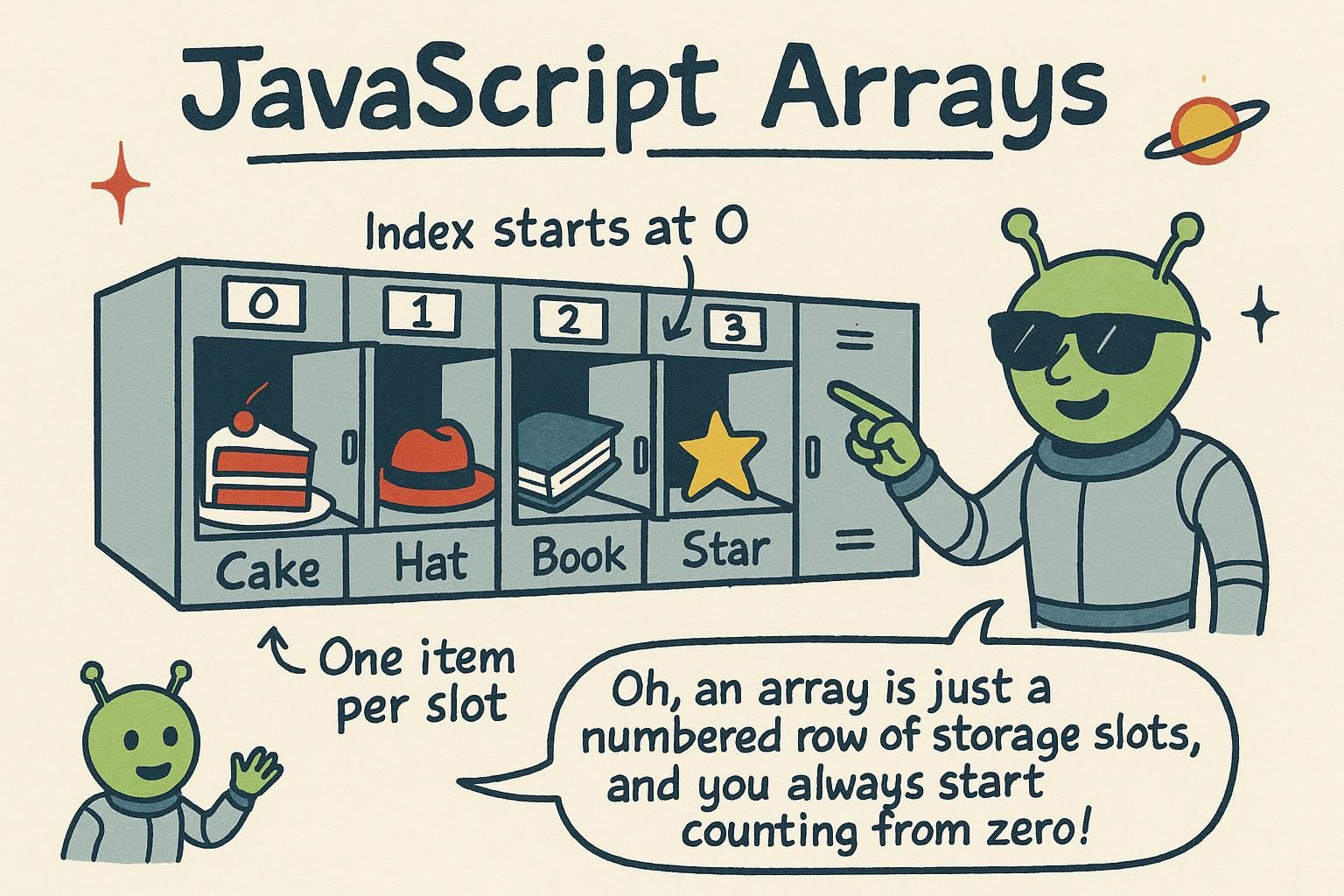
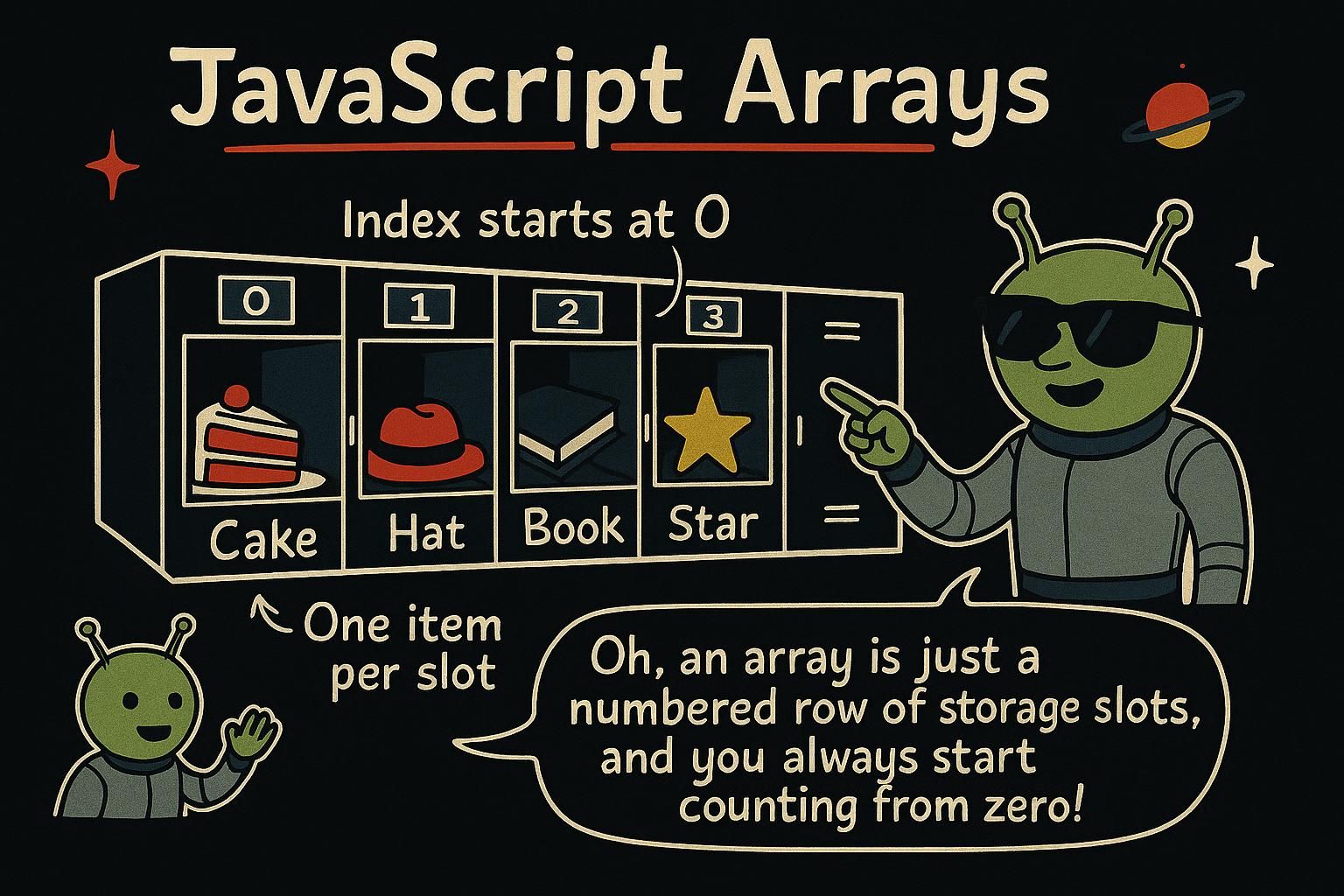
You have a shopping cart, a list of scores, the names of everyone in a group chat. One variable holds one value, so storing a list this way means a pile of separate names: price1, price2, price3, and no clean way to loop over them or ask how many there are. An array is the fix. It holds an ordered list of values under a single name, and it knows its own length, so you can add to it, read any item, and walk the whole thing in a few lines.
Making and reading an array
An array is an ordered list of values. You write one with square brackets, with the values separated by commas:
const prices = [4, 9, 2, 7];That is one variable, prices, holding four numbers. To read a single value you use its position, called its index, in square brackets. The catch that trips up almost everyone at first: counting starts at zero, not one.
const names = ["Mara", "Kwame", "Yuki"];
console.log(names[0]); // Mara
console.log(names[1]); // Kwame
To ask how many items an array has, use .length:
console.log(names.length); // 3Because counting starts at zero, the last item sits at length - 1, not at length. So the last name here is names[2], and names[3] would be off the end.

names[0], and remember counting starts at zero, so the first item is [0], not [1]. That zero threw me for a week, so check it whenever your list is off by one. Use .length to count the items, and the last one lives at length - 1. Changing an array
Arrays are made to change. The two you reach for most add or remove at the end: push adds an item, pop removes the last one.
const cart = ["apples", "bread"];
cart.push("milk");
console.log(cart); // ["apples", "bread", "milk"]
cart.pop();
console.log(cart); // ["apples", "bread"]
The matching pair works at the start: unshift adds to the front, shift removes the first item.
cart.unshift("eggs");
console.log(cart); // ["eggs", "apples", "bread"]
You can also replace an item directly by assigning to its index:
cart[0] = "bananas";
console.log(cart); // ["bananas", "apples", "bread"]
To find something, includes tells you yes or no, and indexOf tells you where it is (or -1 if it is not there):
console.log(cart.includes("apples")); // true
console.log(cart.indexOf("bread")); // 2
One thing worth knowing early: a const array can still be changed. const stops you reassigning the name cart to a whole new array, but the list it points at is still open for push, pop, and index assignment.
push and pop add and remove at the end; unshift and shift do the same at the start. Assign to an index like cart[0] = "bananas" to replace an item, and use includes or indexOf to find one. The part that surprised me: a const array can still change, because const only stops you swapping the whole array for a new one. Looping over an array
Once you have a list, you usually want to do something with every item. The cleanest way to read through an array is for...of, which hands you one item at a time:
const prices = [4, 9, 2, 7];
for (const price of prices) {
  console.log(price);
}
// 4
// 9
// 2
// 7
You do not manage an index or a counter. for...of gives you each value in order, and you name it (price) however you like. If you have met loops already, this is the friendliest one for arrays.
There is also forEach, which runs a small function once for each item:
const names = ["Mara", "Kwame", "Yuki"];
names.forEach(function (name) {
  console.log("Hi " + name);
});
Both walk the whole array. Reach for for...of when you want to read cleanly, and you will meet forEach and its cousins again when you learn to transform arrays.
for...of is the clean way to walk an array: it hands you each item in order and you never touch an index. forEach runs a little function once per item, which is handy too. Both go through the whole list, so pick for...of when you want to read straight through it. You will see more array tools once you get to transforming them. Arrays are held by reference
Here is behaviour that surprises people, so it is worth seeing early. When you copy an array variable into another name, you do not get a second array. Both names point at the same one.
const original = [1, 2, 3];
const copy = original;
copy.push(4);
console.log(original); // [1, 2, 3, 4]
Pushing to copy changed original, because there was only ever one array. The = handed the second name the same list, not a fresh copy of it. This is what people mean when they say arrays are held by reference: the variable holds a pointer to the list, not the list itself.
To get a real, separate copy, spread the array into a new one with ...:
const original = [1, 2, 3];
const copy = [...original];
copy.push(4);
console.log(original); // [1, 2, 3], untouched= does not make a second array; both names point at the same one, so a change through either shows up in both. This one bit me more than once. When you want a real separate copy, spread it with [...original], which builds a fresh array you can change on its own. Where arrays go from here
An array gives you an ordered list under one name: make it with [], read it by index from zero, change it with push and pop, and walk it with for...of. The one idea to carry past this chapter is that an array is held by reference, so copying the variable shares the list rather than duplicating it.
The natural next step is turning one array into another, filtering a list, transforming every item, adding it all up, without writing the loop by hand. That is array methods. When you need to look values up by a name instead of a position, objects are the structure for that.