Skip to content

Custom properties and modern CSS

docs.scrimba.com

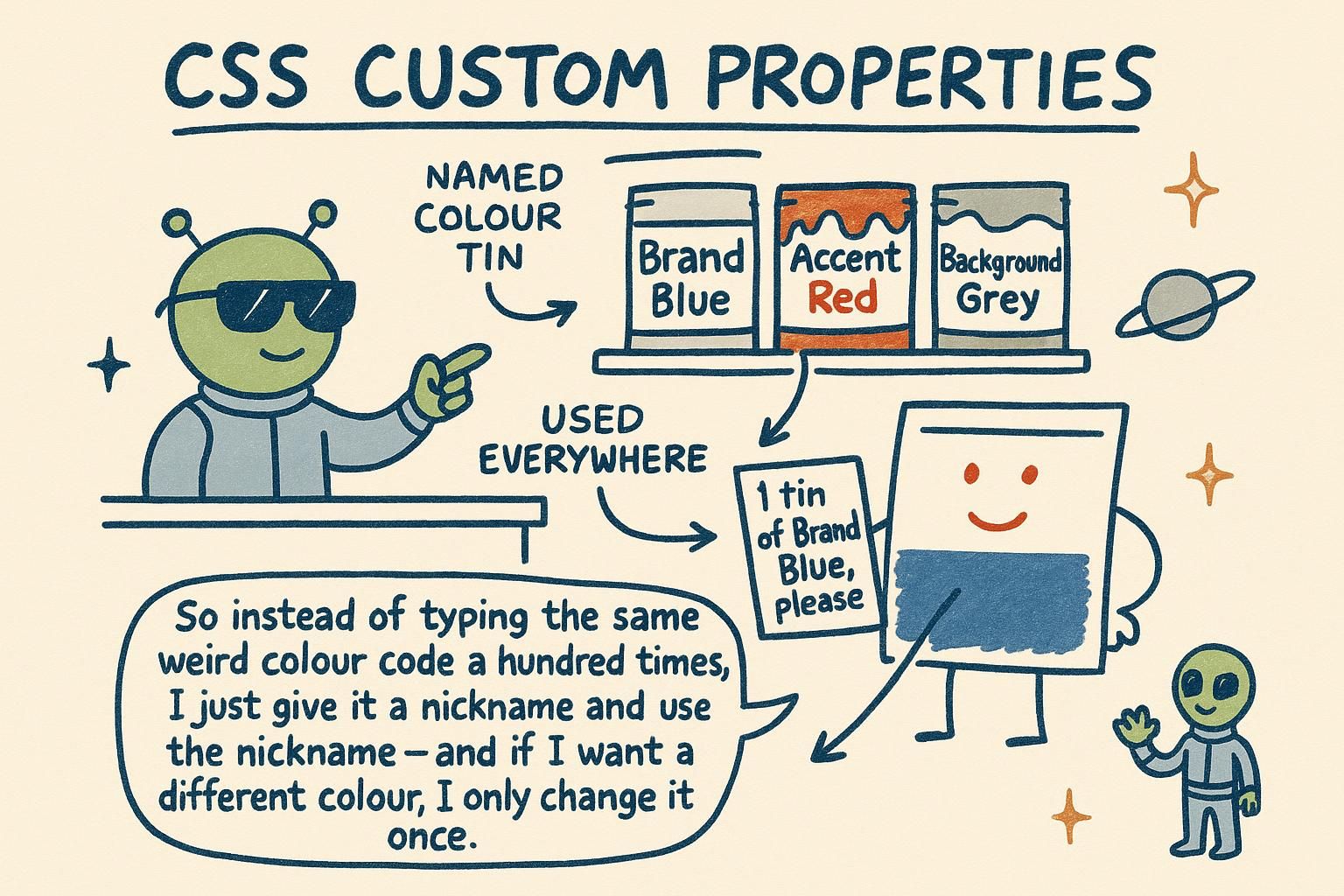
You pick a brand blue, type it into forty different rules, and ship the site. A month later marketing wants a slightly different blue. Now you are hunting through every stylesheet, hoping you catch all forty and do not miss the two that were spelled with a capital letter. Custom properties fix this: you name the colour once, use the name everywhere, and change it in one place. That single habit is the start of theming, design tokens, and stylesheets that survive a redesign.

Declaring and using a variable

A custom property is a value you give a name so you can reuse it. You write the name with two dashes in front, set it to a value, and later read it back with var():

css
:root {
  --color-brand: #2563eb;   /* declare the value once, under a name */
}

.button {
  background: var(--color-brand);   /* read it back here */
}

.link {
  color: var(--color-brand);        /* and here, same value */
}

--color-brand is the name (the two dashes are required), and var(--color-brand) is how you use it. Declaring it on :root (which is the <html> element, the top of the page) makes the name available everywhere. Change the one line on :root and every rule that reads it updates.

A custom property is a named value you declare with a -- prefix and read back with the var() function. People also call them CSS variables, and the two names mean the same thing:

css
:root {
  --color-brand: #2563eb;
  --color-brand-dark: #1e40af;
}

.button {
  background: var(--color-brand);
}

.button:hover {
  background: var(--color-brand-dark);
}

The -- prefix is what separates a custom property from a normal property, and it is case-sensitive, so --color-Brand and --color-brand are two different names. Declaring on :root is the common choice because it puts the value at the top of the tree where every element can see it, which is where your global tokens belong. You are not limited to colours: any value a property accepts can live in a custom property, including lengths, shadows, and font stacks.

A custom property is a user-defined property whose name starts with --, holding a value you read back through the var() function. The name is case-sensitive and the value is stored almost verbatim: the browser does very little to it at declaration time, which becomes important once you see where it actually resolves.

css
:root {
  --color-brand: #2563eb;
  --space-md: 16px;
  --shadow-card: 0 1px 3px rgb(0 0 0 / 0.12);
}

.card {
  padding: var(--space-md);
  box-shadow: var(--shadow-card);
}

Declaring on :root is a convention, not a requirement. :root matches the <html> element with a slightly higher specificity than the html type selector, and because custom properties inherit, a value set there is visible to every descendant. That is the mental model to hold: you are not creating a global registry, you are setting a property on the root element that happens to inherit down the whole document. Anything a normal property accepts can be stored, and you will also store fragments of values (a colour channel, an unitless number) and assemble them later.

JunoDeclaring and using a variable A custom property is a value with a name: write it with two dashes like --color-brand, then read it with var(--color-brand). Put it on :root so the whole page can use it. Change the one line and every rule that reads the name updates with it.
JunoDeclaring and using a variable The -- prefix marks a custom property, and var() reads it back. Declaring on :root parks your global tokens at the top of the tree where every element can reach them. Names are case-sensitive, and any value a property accepts can live in one, not only colours.
JunoDeclaring and using a variable A custom property is any --name you set, read back through var(), stored almost verbatim until it resolves. :root is a convention: it is the <html> element, and because these properties inherit, a value there reaches every descendant. You can store partial values too and assemble them later, which the fallback section starts to use.

They cascade and inherit

If you have used variables in another language, this next part is the surprise: a custom property is not fixed. It follows the same rules as any other CSS property, which means it inherits down to child elements, and you can give it a different value in one place without touching the rest.

css
:root {
  --color-text: #1f2937;   /* the default for the whole page */
}

.callout {
  --color-text: #92400e;   /* a different value, only inside .callout */
  color: var(--color-text);
}

p {
  color: var(--color-text);   /* dark grey normally, amber inside a callout */
}

The same var(--color-text) gives you dark grey in most paragraphs but amber inside a callout, because the callout set its own value. This is what makes theming possible, and you have seen the cascade behind it in how CSS works.

This is where a custom property parts ways with a variable from a CSS preprocessor like Sass. A preprocessor variable is compiled away before the browser ever sees it, so it is a static find-and-replace. A custom property is a real CSS property, alive in the browser, so it obeys the cascade and it inherits.

A custom property's value is looked up on the element that reads it, not where it was declared. That single fact is why component theming works:

css
:root {
  --color-accent: #2563eb;   /* blue everywhere by default */
}

.card--warning {
  --color-accent: #d97706;   /* override for this component subtree */
}

.card__badge {
  background: var(--color-accent);   /* blue, or amber inside a warning card */
}

The badge does not know or care where --color-accent came from. It reads the value in effect on itself, and any ancestor can have redefined it. You override the token on a container and every descendant that reads it reskins, without editing a single component rule. The full cascade and inheritance rules live in how CSS works.

The behaviour that separates custom properties from every preprocessor variable is that they participate in the cascade and inherit by default. A Sass or Less variable is resolved at build time and gone before the browser loads the file. A custom property is a real property on the element, resolved by the same cascade that governs color or font-size, which means var() is looked up against the computed value of the property on the element doing the reading.

css
:root {
  --color-accent: #2563eb;
}

.panel[data-tone="warning"] {
  --color-accent: #d97706;   /* set on the subtree root */
}

.panel__button {
  background: var(--color-accent);   /* resolved per element, inherits from the panel */
}

Two consequences worth holding. First, inheritance does the theming: setting --color-accent on a subtree root propagates to every descendant that reads it, so a container override reskins a whole component tree with no changes to its rules. Second, specificity still applies to where the token is set, not to var() itself. If two selectors both set --color-accent on the same element, the usual cascade decides which wins, exactly as it would for any property. A property that should stop inheriting can be reset with initial, or declared as non-inheriting with @property, which the deep dive below reaches. The cascade rules apply here without exception.

JunoThey cascade and inherit A custom property is not frozen: it inherits down to child elements, and you can set a different value in one spot without changing the rest. That is why the same var(--color-text) can be grey in most paragraphs and amber inside a callout. Redefine the name on a container and everything inside it picks up the new value.
JunoThey cascade and inherit Unlike a Sass variable that vanishes at build time, a custom property is live in the browser and follows the cascade, so its value is read on the element that uses it. Override a token on a container and every descendant reskins, with zero edits to the component rules. That lookup-where-you-read behaviour is the whole trick behind theming.
JunoThey cascade and inherit Custom properties inherit and cascade, which a preprocessor variable never does because it is gone before the browser loads. var() resolves against the computed value on the reading element, so setting a token on a subtree root themes everything below it through inheritance alone. Specificity governs where the token is set, not the var() call itself.

Fallbacks and calc()

var() can take a second value, used only if the custom property was never set. This is the fallback, and it keeps a rule working even when a token is missing:

css
.card {
  gap: var(--gap, 1rem);   /* use --gap if it exists, otherwise 1rem */
}

You can also do maths with a custom property using calc(). If you have a base spacing value, you can build a bigger one from it instead of hard-coding a second number:

css
:root {
  --space-md: 16px;
}

.section {
  padding: calc(var(--space-md) * 2);   /* 32px, derived from the base */
}

Deriving values like this means one change to --space-md ripples through everything built on top of it.

var() accepts a second argument that acts as a fallback: var(--gap, 1rem) resolves to --gap if it is set, and to 1rem if it is not. That fallback is worth using on any token that might not be defined on a given subtree, so a component still renders sensibly when dropped somewhere its tokens were not provided.

css
.card {
  gap: var(--gap, 1rem);
  padding: var(--space-md, 16px);
}

Custom properties come into their own with calc(), because that is how you derive one value from another rather than storing a pile of magic numbers:

css
:root {
  --space-md: 16px;
}

.section {
  padding: calc(var(--space-md) * 2);        /* 32px */
  margin-bottom: calc(var(--space-md) * 3);  /* 48px, one source of truth */
}

One thing to watch: the fallback can be a full value including commas, so var(--shadow, 0 1px 2px black) is valid, and everything after the first comma is treated as the fallback. See sizing units for how the units inside calc() resolve.

var() takes an optional fallback as its second argument: var(--gap, 1rem) yields 1rem when --gap is not set on the reading element (or is set to the guaranteed-invalid value). The fallback greedily takes everything after the first comma, so it can itself be a comma-containing value or a nested var(), which lets you chain defaults: var(--gap, var(--space-md, 1rem)).

css
.card {
  gap: var(--gap, var(--space-md, 1rem));   /* chained fallback */
}

:root {
  --space-md: 16px;
}

.section {
  padding: calc(var(--space-md) * 2);   /* 32px, derived not hard-coded */
}

The pairing with calc() is where custom properties earn their place in a scaling system, and it comes with a precision rule. A custom property can hold a unitless number, and you multiply a unit onto it inside calc():

css
:root {
  --scale: 1.5;   /* unitless, so it can be multiplied by any unit */
}

.title {
  font-size: calc(1rem * var(--scale));   /* 1.5rem */
  line-height: calc(var(--scale) + 0.2);  /* pure number arithmetic */
}

The reason you store --scale without a unit is that calc(var(--scale) * 16px) works, whereas storing --scale: 1.5rem and trying calc(var(--scale) * 16px) multiplies two lengths and is invalid. Keep raw ratios unitless and attach the unit at the point of use. How those units resolve to pixels is covered in sizing units.

JunoFallbacks and calc()var(--gap, 1rem) uses the token if it exists and falls back to 1rem if it does not, so a rule keeps working when a value is missing. And calc() lets you build values from a token, like calc(var(--space-md) * 2) for double the base spacing. Change the base and everything built on it follows.
JunoFallbacks and calc() The second argument to var() is a fallback: var(--gap, 1rem) covers the case where the token was never set. Pair custom properties with calc() to derive values instead of hard-coding magic numbers, so one token drives the whole scale. Note the fallback swallows everything after the first comma, which is handy for multi-part values.
JunoFallbacks and calc()var(--gap, 1rem) falls back greedily, so you can nest defaults like var(--gap, var(--space-md, 1rem)). Store raw ratios unitless, because calc(var(--scale) * 16px) works while multiplying two lengths does not, and attach the unit at the point of use. That keeps one token driving a whole type or spacing scale.

Theming

Because a custom property can be redefined lower down the tree, you can build a dark theme by changing the tokens under a class, and leave every component rule alone:

css
:root {
  --color-bg: #ffffff;
  --color-text: #1f2937;
}

.theme-dark {
  --color-bg: #0f172a;      /* same names, new values */
  --color-text: #e2e8f0;
}

body {
  background: var(--color-bg);
  color: var(--color-text);
}

Add class="theme-dark" to the page and every rule that reads --color-bg or --color-text flips to the dark values. You never touched the body rule, or any component, to make the theme switch. That is the payoff of naming your colours as tokens instead of writing the hex codes directly.

Theming is the direct reward for tokens that cascade. You define your colours once as tokens, write every component against the token names, and then a theme is nothing more than a second set of values for those same names under a class or a media query:

css
:root {
  --color-bg: #ffffff;
  --color-text: #1f2937;
  --color-surface: #f8fafc;
}

.theme-dark {
  --color-bg: #0f172a;
  --color-text: #e2e8f0;
  --color-surface: #1e293b;
}

Toggling theme-dark on a container reskins everything inside it, because the components read token names, not fixed colours. The same works with a media query so the theme follows the operating system setting:

css
@media (prefers-color-scheme: dark) {
  :root {
    --color-bg: #0f172a;
    --color-text: #e2e8f0;
    --color-surface: #1e293b;
  }
}

The discipline that makes this hold is keeping raw hex codes out of component rules entirely, and naming them as colour tokens instead. This is also where a token naming convention pays off, which organising CSS goes into.

Theming is the reason custom properties matter for anything beyond a single value reuse, and it works because a theme is nothing more than a cascade override of your token layer. Components read token names; a theme redefines those names at a higher point in the tree. Nothing in the component layer knows a theme exists.

css
:root {
  --color-bg: #ffffff;
  --color-text: #1f2937;
  --color-surface: #f8fafc;
}

.theme-dark {
  --color-bg: #0f172a;
  --color-text: #e2e8f0;
  --color-surface: #1e293b;
}

@media (prefers-color-scheme: dark) {
  :root:not(.theme-light) {
    --color-bg: #0f172a;
    --color-text: #e2e8f0;
    --color-surface: #1e293b;
  }
}

The pattern that holds up in production is a two-tier token system. A first tier holds raw values (--blue-600: #2563eb), and a second tier holds semantic tokens that reference them (--color-accent: var(--blue-600)). Components read only the semantic tier, so a theme reassigns the semantic tokens and the palette tier stays put, which keeps the switch small and the intent readable. Pairing a class override with the prefers-color-scheme media query, as above, gives you a system default plus a manual toggle without duplicating component rules. The naming discipline that keeps this maintainable belongs with the rest of your file and token organisation, and the raw values themselves are colours.

Three more things belong in an advanced view of custom properties, because they change what is possible rather than adding polish.

Custom properties resolve at computed-value time, meaning the browser resolves var() per element as it computes styles, not when the file is parsed. This is exactly why theming works and why a preprocessor variable cannot do it: the value is live, so it responds to the cascade, to inheritance, and to changes made at runtime.

Runtime is the second point. Because these are real properties, JavaScript can read and write them, and every rule reading the token updates instantly:

css
:root {
  --sidebar-width: 280px;   /* read and set from JS at runtime */
}

A script can call document.documentElement.style.setProperty('--sidebar-width', '320px') and the layout reflows against the new value, something a Sass variable, compiled away long before the page loads, can never offer. You can also scope this to a subtree by setting the property on any element rather than the root, which confines a change to that branch of the tree.

The third point is control over the property itself. @property lets you register a custom property with a type, an initial value, and whether it inherits, which unlocks smooth animation of custom properties (a plain custom property animates as an on/off jump because the browser cannot interpolate an untyped value). Alongside it, the modern value functions read naturally from tokens: clamp(min, preferred, max) picks the preferred value but never leaves the bounds, min() returns the smallest of its arguments and max() the largest, so width: min(100%, var(--max-width)) caps a fluid width at a token without a media query.

JunoTheming A theme is the same token names with different values under a class like .theme-dark. Set class="theme-dark" and every rule reading those tokens flips, without editing a single component. That is why you name your colours as tokens instead of typing the hex code straight into each rule.
JunoTheming Because tokens cascade, a theme is only a second set of values for the same names, under a class or a prefers-color-scheme media query. Keep raw hex out of component rules and read token names instead, and a whole subtree reskins from one override. Toggle the class or match the OS setting and everything reading those tokens follows.
JunoTheming Custom properties resolve at computed-value time, so they are live: JavaScript can set --sidebar-width at runtime and every rule reading it reflows, which no preprocessor variable can do. A two-tier setup, raw palette tokens under semantic tokens, keeps a theme switch to a handful of reassignments. And @property plus clamp(), min(), and max() let those tokens animate and stay bounded without a media query.