Skip to content

Structured output

docs.scrimba.com

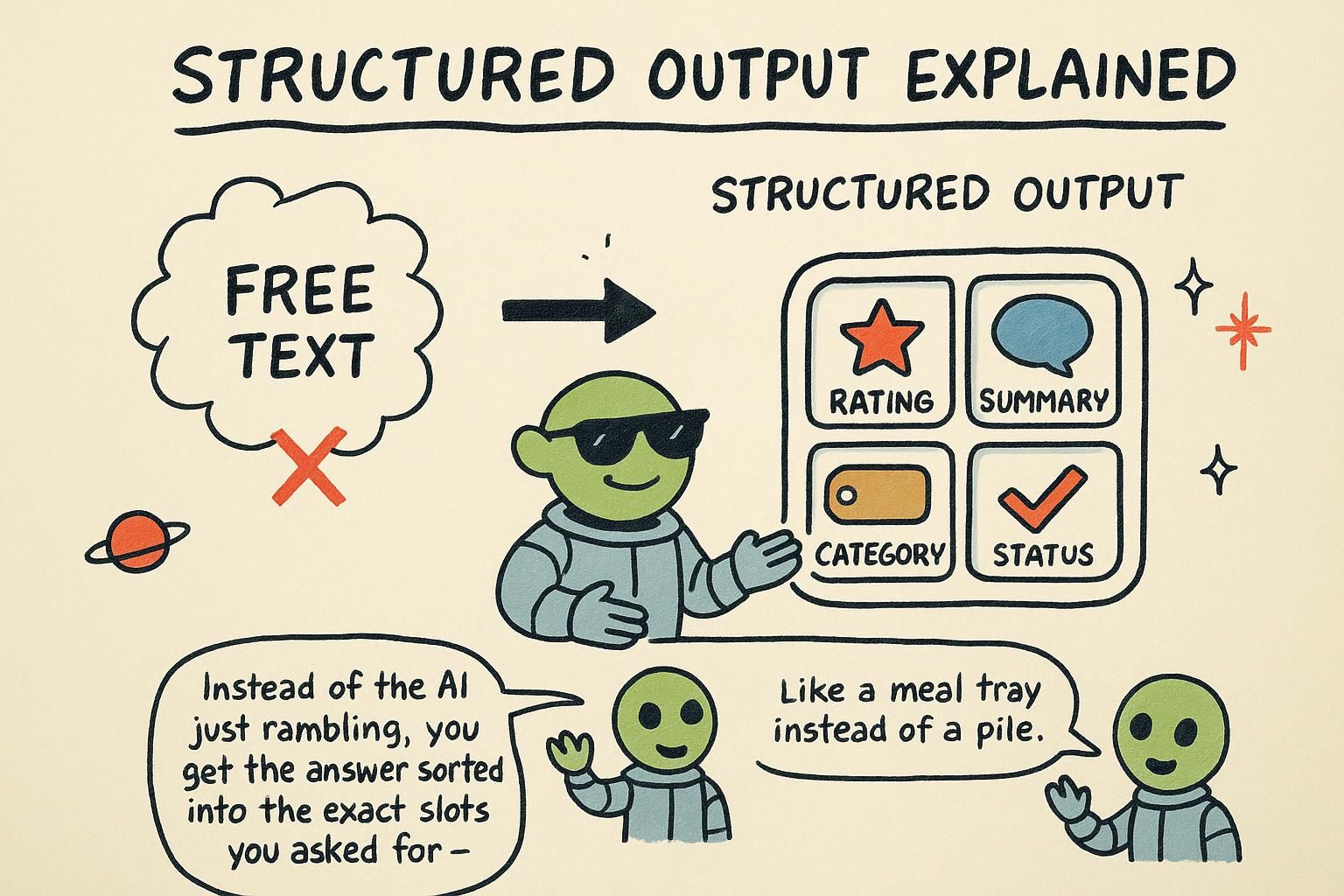
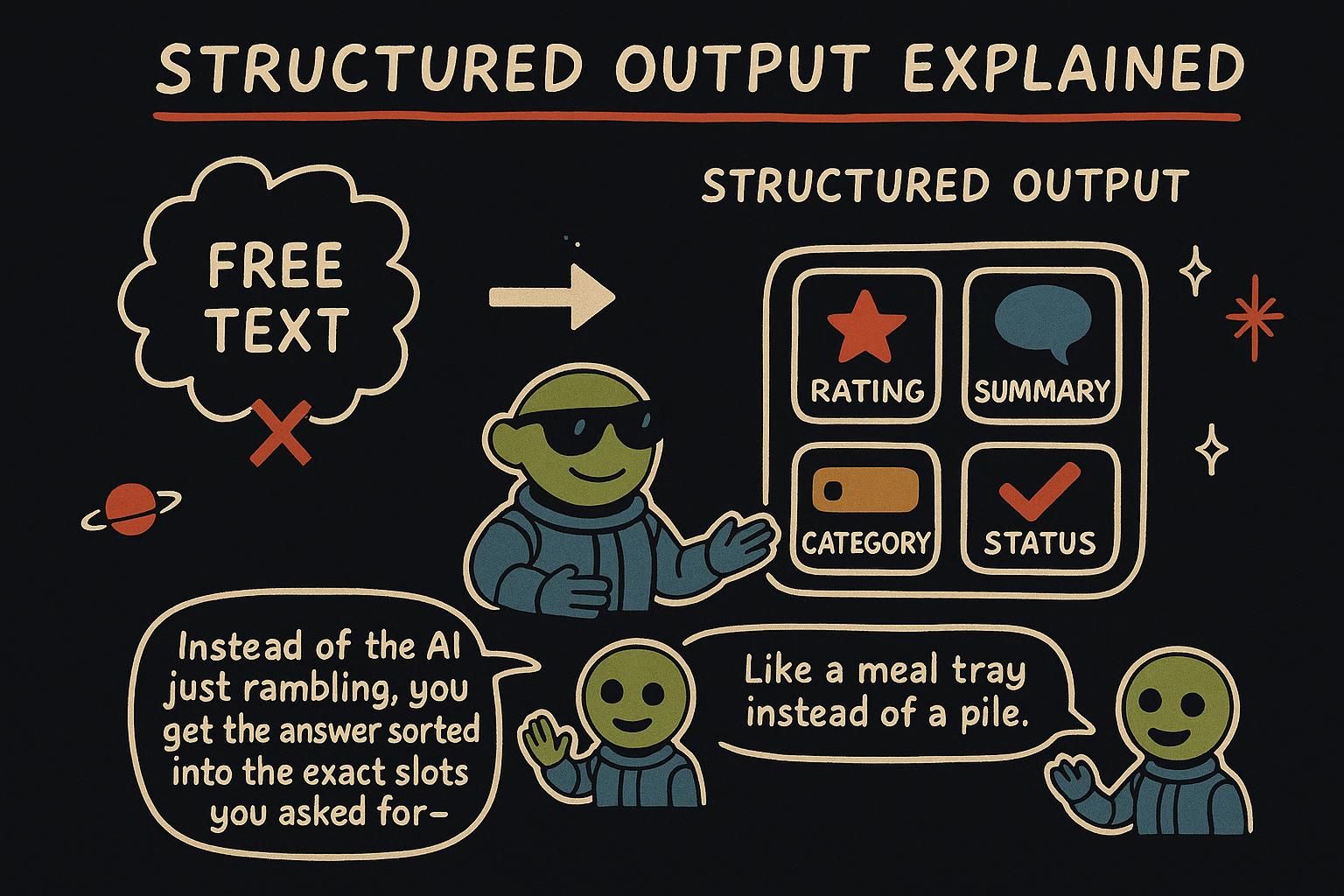
First, the shape of the problem. Structured output is the practice of getting a model to return data your code can read directly, a field you can branch on instead of a paragraph you have to parse by hand. This chapter is about making that reliable.

So far the model hands you text, which is fine when a person reads it. But software cannot do much with a paragraph. To act on a model's answer in code, you need it as data: a field you can read, a value you can branch on, a record you can save.

The shift is small but it changes everything downstream. Once the model returns { "sentiment": "negative" } instead of a sentence about how the customer seems unhappy, your code can route the ticket, update a dashboard, or send an alert. The interesting part is how you make the model produce clean data when all it does is predict text, and the answer reveals a lever you did not know you had.

The model returns text. Your code needs data: a field to read, a value to branch on, a record to store. This chapter is the bridge between those two, and the move is to stop hoping the model formats things nicely and start constraining what it can output.

There is a real lever here, not a prompting trick. The same sampling loop from how LLMs work can be steered so the output is forced into the shape you want, which turns a fuzzy text generator into a component the rest of your system can rely on.

A model that returns prose is a component you cannot compose. The moment its output feeds another system, you need data with a known shape, and you need the failure modes of getting that data to be ones you can see and handle.

This chapter is about constraining generation into a schema and what that costs you in latency, what it does not buy you (correct values), and how it fails at the edges. The machinery underneath is the same one that drives tool use: a tool call is structured output with a function signature standing in for the schema.

Ask for JSON

The first instinct is to ask in the prompt: "reply as JSON", the plain-text format software uses to pass data around, written as fields and values inside curly braces. Try it and it mostly works, which is the trap. The model is still doing nothing but predicting probable text, and sometimes the probable text is a code fence, or a friendly "Sure, here you go!" before the data, or a trailing comment after it. Any of those breaks the code that reads the JSON. Asking nicely biases the prediction toward JSON; it does not force it.

So providers give you a real lever. Turning on JSON mode with response_format does more than ask: it constrains the model so the syntax comes back as valid JSON.

python
import json

response = client.chat.completions.create(
    model=MODEL,
    messages=[
        {"role": "system", "content": 'Extract the city and the temperature. Reply as JSON: { "city": string, "tempC": number }.'},
        {"role": "user", "content": "It's about 18 degrees in Oslo right now."},
    ],
    response_format={"type": "json_object"},  # constrains output to valid JSON syntax
)

data = json.loads(response.choices[0].message.content)
print(data["city"], data["tempC"])  # "Oslo" 18

response_format={"type": "json_object"} makes the output valid JSON syntax, so json.loads will not choke on stray prose. You still describe the fields you want in the prompt, because JSON mode promises valid JSON, not the particular fields you had in mind. It rules out "not JSON at all", not "JSON with the wrong shape". One thing it still cannot promise: if the reply gets cut off mid-way, you can receive half a JSON object, so it is reliable syntax, not a hard guarantee in every case.

JunoAsk for JSON Asking for JSON in the prompt alone is shaky, because the model only predicts probable text and may wrap it in fences or chatter that break the parse. Setting response_format to JSON mode constrains the syntax so it comes back as valid JSON. It does not promise the fields match what you asked for, and a reply cut off partway can still arrive as half an object, so describe the shape in the prompt and check what lands.

The reflex is to write "reply as JSON" in the prompt, where JSON is the data format of fields and values software passes around. It mostly works, which is exactly the problem: mostly is not a contract. The model predicts probable text, and probable text sometimes includes a code fence, a "Sure!" preamble, or a trailing note, all of which break json.loads.

JSON mode is the first real lever. Setting response_format to a JSON object type constrains the generation so the syntax is valid JSON, not prose that happens to look like it.

python
import json

response = client.chat.completions.create(
    model=MODEL,
    messages=[
        {"role": "system", "content": 'Extract the city and the temperature. Reply as JSON: { "city": string, "tempC": number }.'},
        {"role": "user", "content": "It's about 18 degrees in Oslo right now."},
    ],
    response_format={"type": "json_object"},  # constrains output to valid JSON syntax
)

data = json.loads(response.choices[0].message.content)
print(data["city"], data["tempC"])  # "Oslo" 18

The shape of response_format here is OpenAI's; other providers expose the same idea under their own field, so port the concept, not the literal key. JSON mode constrains syntax, never the field shape. You describe the fields in the prompt, and the model is free to rename, drop, or nest them differently while still emitting valid JSON.

There is one more crack: JSON mode promises well-formed JSON only if the response finishes. Hit your max_tokens ceiling mid-object and you get truncated, unparseable output, so the parse still needs a guard.

JunoAsk for JSON JSON mode constrains syntax so the model stops wrapping data in fences and chatter, but it never pins the fields, so the model can still rename or drop them. The response_format key is OpenAI's shape; other providers spell it differently. And the promise only holds for a finished response, so a reply truncated by max_tokens arrives unparseable. Guard the parse regardless.

"Reply as JSON" in the prompt is a suggestion, and suggestions fail under load: a code fence here, a preamble there, a trailing comment when the model feels chatty, each one a json.loads exception in production. JSON mode (here response_format={"type": "json_object"}) replaces the suggestion with a constraint on the generated syntax, so the bytes that come back parse as JSON.

python
import json

response = client.chat.completions.create(
    model=MODEL,
    messages=[
        {"role": "system", "content": 'Extract the city and the temperature. Reply as JSON: { "city": string, "tempC": number }.'},
        {"role": "user", "content": "It's about 18 degrees in Oslo right now."},
    ],
    response_format={"type": "json_object"},  # constrains output to valid JSON syntax
)

data = json.loads(response.choices[0].message.content)
print(data["city"], data["tempC"])  # "Oslo" 18

Be precise about what this constrains. JSON mode pins syntax, not schema, and only on a completed response. The model still chooses field names, can omit a required field, and can nest however it likes.

The guarantee is conditional on the generation terminating: if the model runs into max_tokens mid-object, you get a truncated string that is not valid JSON, which means the one failure mode JSON mode does not remove is the one your retry path most needs to handle. The response_format key shown is OpenAI's; the equivalent on other providers lives under a different name, so treat the concept as portable and the literal field as not. For shape guarantees you need a schema, which is the next section.

JunoAsk for JSON JSON mode constrains syntax on a finished response, nothing more: the model still names, omits, and nests fields as it likes, and a generation killed by max_tokens hands you truncated, unparseable output. That truncation case is the one your error path has to own, because the mode will not. The response_format shape is OpenAI's, so port the idea, not the key. For shape, you want a schema.

Lock the shape with a schema

JSON mode keeps the syntax valid, but the model might still rename a field, drop one, or nest things differently. To remove that wiggle room, give it a schema: an exact description of the fields and types the output must have, a form the model is required to fill in. With strict: true, the output is then guaranteed to match that form.

python
import json

response = client.chat.completions.create(
    model=MODEL,
    messages=[
        {"role": "system", "content": "Extract the contact details from the message."},
        {"role": "user", "content": "Hi, I'm Mara Lin, reach me at [email protected]."},
    ],
    response_format={
        "type": "json_schema",
        "json_schema": {
            "name": "contact",
            "strict": True,  # enforce the schema exactly
            "schema": {
                "type": "object",
                "properties": {
                    "name": {"type": "string"},
                    "email": {"type": "string"},
                },
                "required": ["name", "email"],
                "additionalProperties": False,
            },
        },
    },
)

contact = json.loads(response.choices[0].message.content)
# {"name": "Mara Lin", "email": "[email protected]"}

How can a schema be a hard guarantee when the model only predicts tokens? Because the provider restricts which tokens it is allowed to predict. At each step the model still ranks all the possible next tokens, but the system removes the ones that would break your schema, and the model picks from what is left.

If the schema says the next field must be email, tokens that would start any other field are taken off the table before the model chooses. The off-shape tokens are removed, so the model cannot drift off-shape.

There is a softer effect worth knowing. The field names you choose become part of what the model reads when predicting the value, so a clear name guides a better answer. Asked to fill tempC, the model leans toward a Celsius number; asked to fill value, it has far less to go on. Naming fields clearly is part instruction, part schema.

JunoLock the shape with a schema A schema is the form the model has to fill in, and with strict: true it gets the exact fields and types, because the system removes any token that would break the shape before the model picks. That is enforcement, not a polite request. Name your fields clearly too, since the field name is context the model reads when it predicts the value. Took me a while to trust that a name like tempC does real work.

JSON mode pins the syntax but leaves the model free to rename, drop, or re-nest fields. A schema closes that gap: an exact description of fields and types, and with strict: true the output is guaranteed to match it.

python
import json

response = client.chat.completions.create(
    model=MODEL,
    messages=[
        {"role": "system", "content": "Extract the contact details from the message."},
        {"role": "user", "content": "Hi, I'm Mara Lin, reach me at [email protected]."},
    ],
    response_format={
        "type": "json_schema",
        "json_schema": {
            "name": "contact",
            "strict": True,  # enforce the schema exactly
            "schema": {
                "type": "object",
                "properties": {
                    "name": {"type": "string"},
                    "email": {"type": "string"},
                },
                "required": ["name", "email"],
                "additionalProperties": False,
            },
        },
    },
)

contact = json.loads(response.choices[0].message.content)
# {"name": "Mara Lin", "email": "[email protected]"}

The mechanism is constrained decoding: token pruning applied to the sampling step. At every position the model produces its usual ranking over all tokens, then the system masks out any token that would make the output stop matching the schema, and the model samples from the survivors. If the grammar says the next token must open the email field, tokens that would start anything else are zeroed before the draw. The model cannot wander off-shape because the off-shape moves are removed from the board, not discouraged in the prompt.

Two practical handles. Field names are instruction, so name them for the value you want. tempC steers the model toward Celsius where value leaves it guessing, and a description on a field steers harder still. And the same constraint enforces an enum (a fixed list of allowed values) or a number range, which is what makes classification reliable: at the label position, only your listed labels survive the mask, so the model cannot coin a category that is not on the list.

JunoLock the shape with a schema With strict: true, constrained decoding masks out every token that would break the schema before the model samples, so the shape is enforced, not requested. Lean on it: field names and descriptions are instructions, so name tempC not value and the model fills it better. The same masking enforces an enum, which is why classification holds, the model cannot invent a label that is not on your list.

JSON mode gets you parseable bytes; a schema gets you a known shape. With strict: true the output is guaranteed to match the field set and types you declare, which is the difference between data you can index into blindly and data you have to defensively probe.

python
import json

response = client.chat.completions.create(
    model=MODEL,
    messages=[
        {"role": "system", "content": "Extract the contact details from the message."},
        {"role": "user", "content": "Hi, I'm Mara Lin, reach me at [email protected]."},
    ],
    response_format={
        "type": "json_schema",
        "json_schema": {
            "name": "contact",
            "strict": True,
            "schema": {
                "type": "object",
                "properties": {
                    "name": {"type": "string"},
                    "email": {"type": "string"},
                },
                "required": ["name", "email"],
                "additionalProperties": False,
            },
        },
    },
)

contact = json.loads(response.choices[0].message.content)

The mechanism is constrained decoding, and you want to understand it from scratch because its costs are not free. The model emits a probability for every token in its vocabulary at each step. Constrained decoding compiles your schema into a grammar (a set of rules for which token sequences are legal), then at each step builds a mask that sets the probability of every illegal token to zero, so sampling can only land on a token that keeps the output valid so far. The shape is enforced by construction, not by asking.

That compile is not free, and it shows up as latency. The first call against a new schema pays a one-time cost to build the grammar, so cold-start latency on a fresh schema is higher than steady state. Keep your schemas stable and reused rather than generated per request, or you pay that compile over and over.

additionalProperties: false and a full required list are not decoration: they are what let the system reject extra or missing fields outright, and on providers that support a schema-driven refusal, they are also what give the model a clean way to return a structured refusal instead of a malformed object. Drop them and you widen what counts as valid, which is the opposite of why you reached for strict mode.

A few production realities. Strict support is uneven: some providers enforce a real grammar, others approximate it or support only a subset of JSON Schema (no pattern, limited nesting), so test what your provider actually honors rather than assuming the spec. Partial and streaming output is the awkward case: while tokens stream, you hold a syntactically incomplete object, so either buffer to completion before parsing or use an incremental parser that tolerates a half-built structure. And this is the same machinery as tool use: a function's argument schema is constrained the identical way, so everything here transfers directly to making tool calls reliable.

JunoLock the shape with a schema Constrained decoding compiles your schema to a grammar and zeroes out every illegal token before sampling, so the shape is enforced by construction. That compile costs latency on the first call against a new schema, so reuse schemas instead of minting one per request. Keep additionalProperties: false and a full required list, they are what enforce rejection and, on some providers, a clean structured refusal. Strict support varies, streaming hands you half an object, and the same masking drives tool-call args, so what you learn here pays off twice.

Validate anyway

A schema constrains the shape, but treat the output as data from the outside world regardless. The shape can be valid while the content is wrong: an extracted email that is actually a typo, a number the model guessed, a field left blank because the input did not contain it. And the call can still fail in ordinary ways, like getting cut off by max_tokens and arriving as truncated JSON. Parse defensively: a valid shape is not a correct value.

python
import json

def parse_contact(raw):
    try:
        data = json.loads(raw)
        if not data.get("name") or not data.get("email"):
            return None  # present but empty
        return data
    except json.JSONDecodeError:
        return None  # not valid JSON (for example, a truncated reply)

contact = parse_contact(response.choices[0].message.content)
if not contact:
    pass  # handle the failure: retry, ask again, or show a friendly error

This is the hallucination lesson from how LLMs work in a new costume: the shape being right does not make the values right. A schema guarantees you get a name field; it does not guarantee the name is correct. A try/except around the parse plus a check of the values is cheap insurance against the reply that is well-formed and still wrong.

JunoValidate anyway A schema guarantees the shape, never the truth of the values, so a valid record can still hold a wrong or empty value, and a call can still arrive truncated. Wrap the parse in try/except and check the values before you trust them. Decide up front what happens when validation fails, a retry or a friendly error, so it is not a scramble later.

Strict mode guarantees shape, not content. The output can match the schema and still be wrong: a plausible-looking email that is a typo, a number invented to fill a required field, an empty string where the input held nothing. And the parse can fail outright when a response truncates on max_tokens. So you validate, every time.

python
import json

def parse_contact(raw):
    try:
        data = json.loads(raw)
    except json.JSONDecodeError:
        return None, "unparseable"  # truncated or malformed

    if not data.get("name") or not data.get("email"):
        return None, "empty_field"  # present but blank
    if "@" not in data["email"]:
        return None, "bad_email"  # shape ok, value not
    return data, None

contact, error = parse_contact(response.choices[0].message.content)
if error == "unparseable":
    pass  # retry once, likely truncation: raise max_tokens or shorten input
elif error:
    pass  # log the value-level failure and fall back

The pattern is a defensive parse that distinguishes failure modes, because they want different handling. A JSONDecodeError usually means truncation, so the fix is to raise max_tokens or shrink the input and retry. An empty or out-of-range value is a content failure, not a format one, so retrying the same call rarely helps; log it and fall back.

Separate "could not parse" from "parsed but wrong", because the fix differs. This connects back to hallucination: constrained decoding removed the malformed-output failure mode and left the wrong-value one fully intact.

JunoValidate anyway Strict mode pins shape, not content, so validate every time: a record can be well-formed and hold a typo, a guess, or a blank. Split the failures, because a JSONDecodeError usually means truncation (raise max_tokens or shrink the input and retry) while a bad value is a content miss that retrying the same call will not fix. Constrained decoding deleted the malformed-output problem and left wrong-value untouched.

Constrained decoding closes the malformed-output failure mode and closes nothing else. The shape is guaranteed; the content is not. A required field the input never supported gets filled with a confident guess, a number lands out of any sane range, an email parses as a string but is a typo.

The format guarantee itself lapses on truncation. So validation is not optional hygiene, it is the layer that catches what the schema structurally cannot.

python
import json

def parse_contact(raw, retry):
    try:
        data = json.loads(raw)
    except json.JSONDecodeError:
        return None, "truncated"  # incomplete generation, not a content problem

    if not data.get("name") or "@" not in data.get("email", ""):
        return None, "invalid_value"  # shape held, value did not
    return data, None

contact, failure = parse_contact(raw, retry=False)
if failure == "truncated":
    pass  # raise max_tokens or trim input, then retry the call
elif failure == "invalid_value":
    pass  # repair path: re-ask with the bad output fed back, or route to fallback

Three things separate a validator that holds up from a try/except that swallows everything:

  • Classify the failure: truncation is a budget problem fixed by a retry with more max_tokens, while an invalid value is a content problem a blind retry will reproduce.
  • Build a repair path for the value-level case rather than only a fallback. Feeding the invalid output back with an instruction to fix it often recovers it in one extra call, which is cheaper than failing the request, but cap the retries so a persistently wrong input cannot loop.
  • Bound the cost: every retry is another billed call and another round-trip of latency, so a retry budget is part of the design, not an afterthought.

Validate the values, not the parse alone. This is the hallucination containment story applied to structured data: constrained decoding gives you a clean envelope and tells you nothing about what is inside it, so the envelope is exactly where teams stop validating and get burned. Schema validation, range and semantic checks, and a bounded repair loop are the three layers, and they catch different things: the schema catches shape, the checks catch nonsense values, the repair loop recovers the salvageable ones.

JunoValidate anyway Strict mode deletes malformed output and leaves wrong values fully intact, so validate content, not the parse alone. Classify the failure: truncation is a budget fix (more max_tokens, retry), an invalid value is a content miss that a blind retry only reproduces, so build a repair path that feeds the bad output back, and cap the retries so a bad input cannot loop your bill. The clean envelope is exactly where people stop checking and get burned.

Two patterns: classify and extract

Most structured-output work is one of two shapes.

Classification sorts an input into one of a fixed set of labels. An enum in the schema constrains the output to exactly those labels, using the same token-pruning trick: at the label position, only the allowed values can be predicted, so the model cannot invent a category that is not on your list.

python
# schema fragment for classification
{"type": "string", "enum": ["billing", "technical", "general"]}

Extraction pulls specific fields out of free text, like the contact example earlier: a name, a date, an amount, a list of product names. Together, classify and extract cover a large share of real AI features: routing support tickets, tagging content, turning emails into records, reading receipts. Both turn a fuzzy text generator into a dependable component your code can build on.

JunoTwo patterns: classify and extract Classification sorts an input into one of a fixed set of labels, locked down with an enum so the model cannot invent a category off your list. Extraction pulls named fields out of free text into a record. Both turn a fuzzy text generator into a dependable component, and between them they cover a large share of practical AI features.

Almost everything you build with structured output is one of two shapes, and naming them helps you reach for the right schema.

Classification maps an input to one label from a fixed set. The enum carries the whole job: constrained decoding masks every token except your listed labels at the label position, so the model returns one of them or nothing else.

python
# classification: one label from a closed set
{"type": "string", "enum": ["billing", "technical", "general"]}

Extraction pulls named fields out of free text into a record, the contact and ticket examples. The two compose: a single schema can classify and extract at once, which is most real features. Closed sets get an enum; open values get a typed field.

The decision to make consciously: when a value really is a fixed set (status, category, priority), use an enum so the model cannot drift, and when it is open (a name, a summary), use a plain typed field and accept that you are trusting the value enough to validate it. Mixing them up, an enum where the real world has more cases, or a free field where a closed set would have caught errors, is where these features quietly misbehave.

JunoTwo patterns: classify and extract Two shapes cover most of this: classification maps to one label from a closed set (the enum does the enforcing) and extraction pulls named fields into a record, and one schema can do both at once. Pick deliberately: enum for fixed sets so the model cannot drift, plain typed field for open values you will validate. An enum that is missing a real-world case is a quiet source of wrong labels.

Structured output collapses to two patterns, and the distinction is a design lever, not only vocabulary. Classification maps input to one label from a closed set, enforced by an enum that constrained decoding reduces to a hard choice among your values. Extraction pulls typed fields out of free text. Most production schemas combine them.

python
# classification: constrained decoding permits only these tokens at the label position
{"type": "string", "enum": ["billing", "technical", "general"]}

The lever is where you draw the closed-set boundary, because the enum is a correctness guarantee with a sharp edge. A value that is actually bounded (a status, a priority) belongs in an enum so the model cannot emit anything off-list, and that turns an open-ended generation into a check your downstream code can rely on.

But the enum forces a choice even when none fits: if the real input does not match any label, the model is constrained to pick the closest wrong one rather than tell you it does not fit. An enum with no escape hatch turns "does not fit" into a confident wrong label. So for any classifier facing messy real input, add an explicit escape hatch, an other or unknown member, and read it as the signal to route elsewhere.

The same caution applies to confidence: if a decision rides on the label, have the model also emit a confidence or a short rationale field, so a borderline call is visible instead of laundered into a clean-looking enum value. These are the same instincts as tool use, where the model picks one tool from a closed set and you face the identical "what if none fits" problem.

JunoTwo patterns: classify and extract Classification is a closed set enforced by an enum, extraction is typed fields from free text, and the enum is a guarantee with a sharp edge: it forces a pick even when nothing fits, laundering "does not match" into a confident wrong label. Add an other or unknown member and route on it, and emit a confidence field when a decision rides on the label. Same shape as picking one tool from a closed set in tool use.

In practice

Turning a messy support email into a structured ticket, combining classification and extraction in one schema:

python
import json

response = client.chat.completions.create(
    model=MODEL,
    messages=[
        {"role": "system", "content": "Turn the support email into a ticket."},
        {"role": "user", "content": email_text},
    ],
    response_format={
        "type": "json_schema",
        "json_schema": {
            "name": "ticket",
            "strict": True,
            "schema": {
                "type": "object",
                "properties": {
                    "category": {"type": "string", "enum": ["billing", "technical", "general"]},
                    "urgency": {"type": "string", "enum": ["low", "medium", "high"]},
                    "summary": {"type": "string"},
                },
                "required": ["category", "urgency", "summary"],
                "additionalProperties": False,
            },
        },
    },
)

ticket = json.loads(response.choices[0].message.content)
# {"category": "billing", "urgency": "high", "summary": "Double-charged for last month's subscription."}

One call classifies the email two ways and extracts a summary, returning a record your code can route and store, with the shape guaranteed and the values still worth checking. So far everything has flowed text in and text out. Next you give the model a different sense entirely: in Embeddings, text becomes numbers you can compare by meaning, the foundation for search and for working with your own documents.

JunoIn practice One call with a strict schema can classify an email two ways and extract a summary at once, returning a record your code can route and store. The shape is guaranteed; the values are still worth checking. Tool use leans on this same trick later: the arguments a model sends to a tool are structured output too.

A real feature usually combines both patterns in one schema. Here a support email becomes a ticket: two classifications and one extraction in a single call.

python
import json

response = client.chat.completions.create(
    model=MODEL,
    messages=[
        {"role": "system", "content": "Turn the support email into a ticket."},
        {"role": "user", "content": email_text},
    ],
    response_format={
        "type": "json_schema",
        "json_schema": {
            "name": "ticket",
            "strict": True,
            "schema": {
                "type": "object",
                "properties": {
                    "category": {"type": "string", "enum": ["billing", "technical", "general"]},
                    "urgency": {"type": "string", "enum": ["low", "medium", "high"]},
                    "summary": {"type": "string"},
                },
                "required": ["category", "urgency", "summary"],
                "additionalProperties": False,
            },
        },
    },
)

ticket = json.loads(response.choices[0].message.content)
# {"category": "billing", "urgency": "high", "summary": "Double-charged for last month's subscription."}

The two enums are constrained hard, so category and urgency are always routable. The summary is an open field, so it is the one to validate before you trust it. That split, enforced labels plus a checked free-text field, is the shape of most extraction features. Next, Embeddings gives the model a different sense: text turned into numbers you can compare by meaning, the foundation for search and for working with your own documents.

JunoIn practice One strict schema can classify two ways and extract a summary in a single call, returning a record you can route and store. The enums are enforced so the labels are safe to act on; the open summary is the field to validate. That mix of locked labels and checked free text is the everyday shape of an extraction feature.

The everyday production shape is a composite: classify on a couple of axes and extract a free-text field, all in one schema and one call.

python
import json

response = client.chat.completions.create(
    model=MODEL,
    messages=[
        {"role": "system", "content": "Turn the support email into a ticket."},
        {"role": "user", "content": email_text},
    ],
    response_format={
        "type": "json_schema",
        "json_schema": {
            "name": "ticket",
            "strict": True,
            "schema": {
                "type": "object",
                "properties": {
                    "category": {"type": "string", "enum": ["billing", "technical", "general"]},
                    "urgency": {"type": "string", "enum": ["low", "medium", "high"]},
                    "summary": {"type": "string"},
                },
                "required": ["category", "urgency", "summary"],
                "additionalProperties": False,
            },
        },
    },
)

ticket = json.loads(response.choices[0].message.content)
# {"category": "billing", "urgency": "high", "summary": "Double-charged for last month's subscription."}

The enforcement is uneven across fields, and that is the design point. The enums are hard guarantees, so category and urgency are safe to route on without further checks. The summary is an unconstrained string, so it is exactly where a hallucinated or off-base value can hide behind a clean schema, and the field that earns a validation pass. Two enforced labels with an open summary field is also the schema most exposed to truncation: a long generated summary is what runs you into max_tokens and turns the whole object unparseable, so size the budget for the free-text field, not the labels.

This is the same machinery as tool use: a tool call is a model emitting structured arguments against a function's schema, constrained the identical way, so the validation, repair, and enum-escape-hatch instincts here transfer wholesale to making agents reliable. From here, Embeddings shifts the model into a different mode: text as vectors you compare by meaning, the basis for search and for grounding answers in your own documents.

JunoIn practice One strict schema, two enforced enums and an open summary: the labels are safe to route on, the free-text field is where a hallucinated value hides and where a long generation trips max_tokens into truncation, so budget and validate it specifically. This is the same machinery as tool use, args constrained against a function schema, so every habit here, validation, repair, enum escape hatches, carries straight into agents.