Skip to content

Tool use

docs.scrimba.com

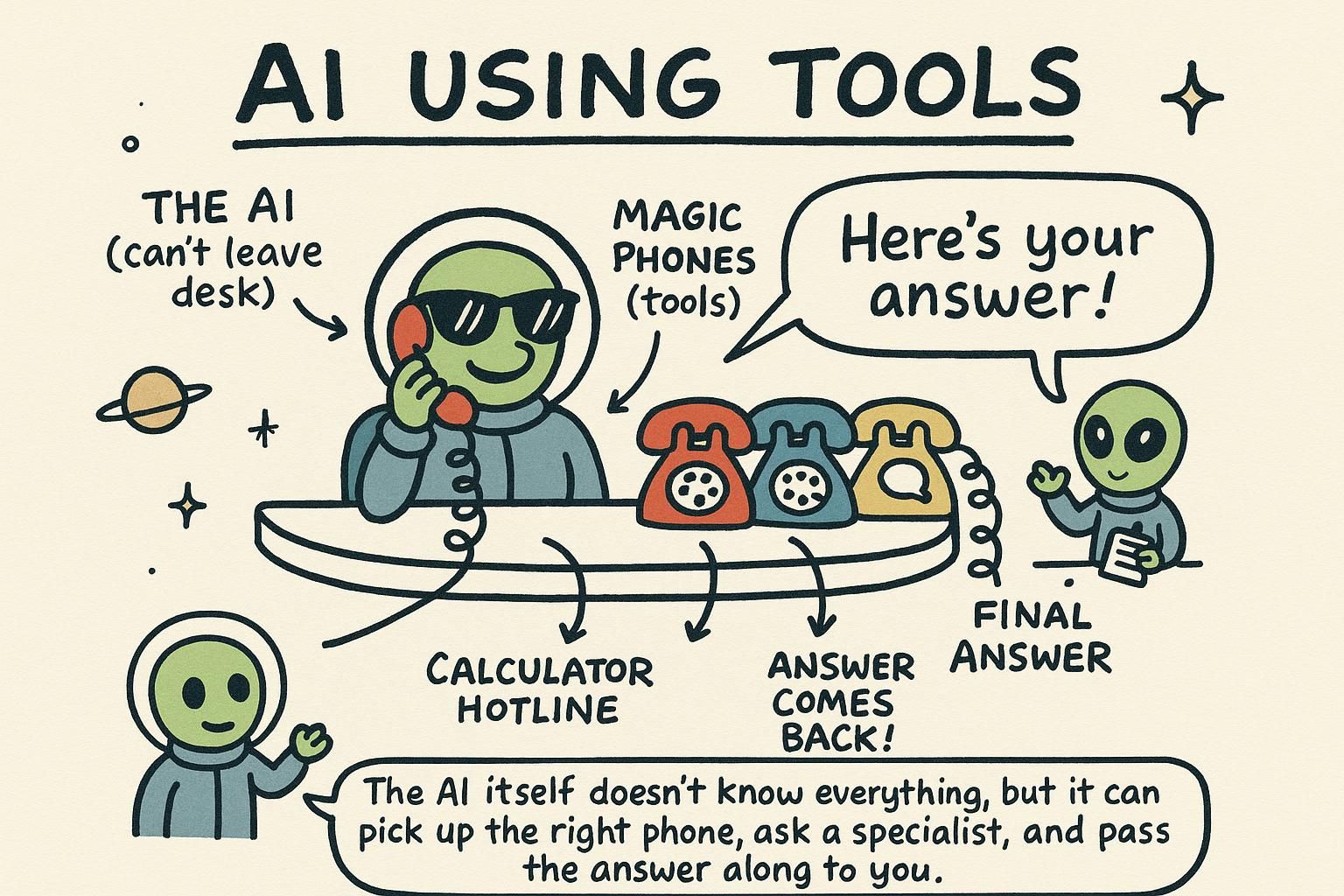
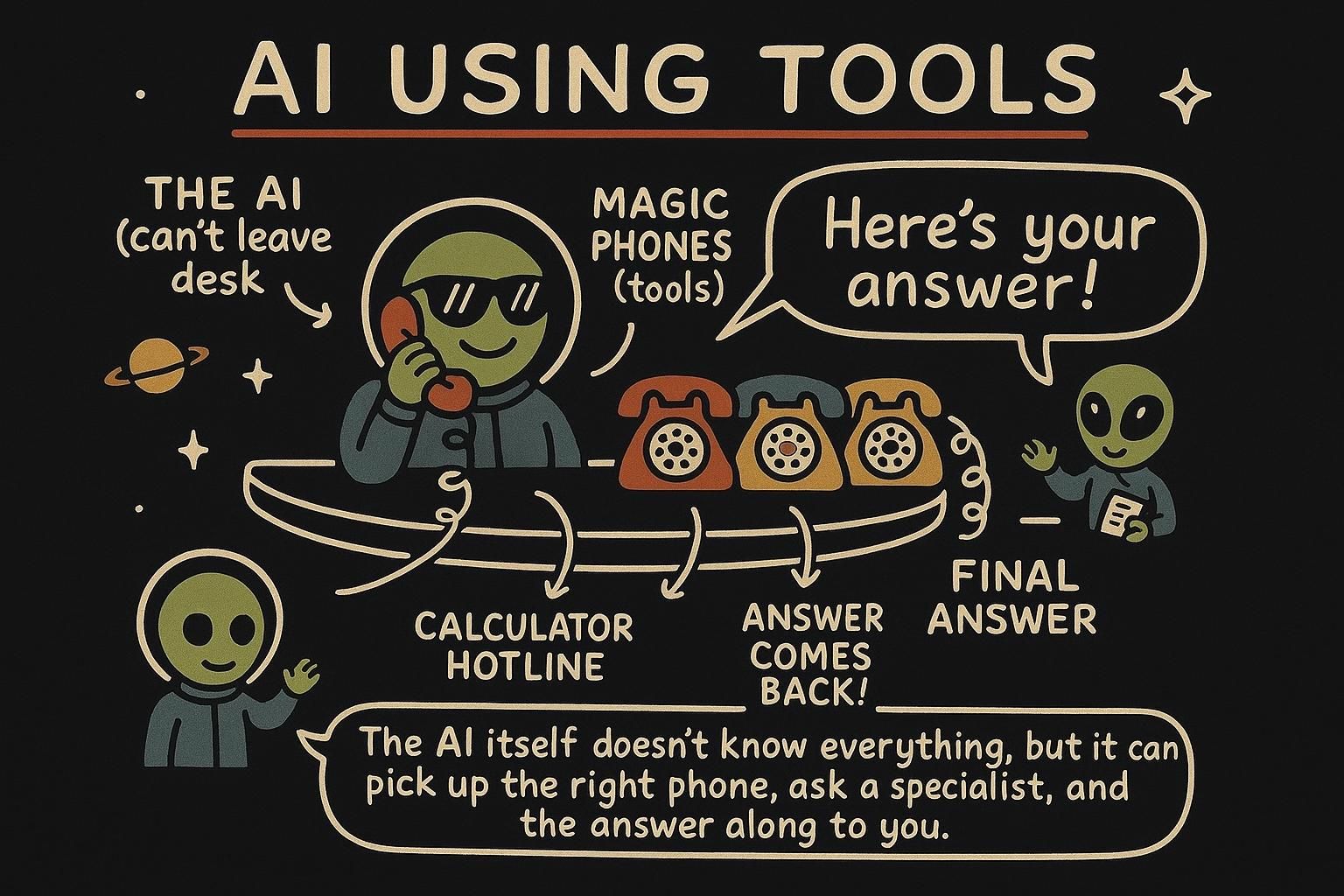
Tool use (often called function calling) is how a language model reaches past its own text box: you hand it a list of functions it may ask you to run, and it decides when to use them. The model never runs anything itself, it only requests a call, and your code does the work.

A model on its own is sealed in a box. It cannot check today's weather, look up a user in your database, or send an email. It only predicts text from what it learned, frozen at training time, the same picture from how LLMs work. Tool use is how you let it reach outside the box, and it is the foundation that agents are built on.

The word to hold onto is "ask". The model tells you which function it wants and with what arguments. Your code runs it and hands back the result. You stay in control the whole time.

A model only produces text, so on its own it cannot fetch live data, touch your database, or trigger an action. Tool use closes that gap: you describe a set of functions, the model emits a structured request to call one, your code runs it, and you feed the result back. The model orchestrates, your code executes.

This chapter is the mechanism underneath every agent you will build. Get the loop, the tool schema, and the error path right here, and agents become this same pattern run on repeat.

Tool use is the seam where a probabilistic text generator meets your deterministic code, and most of the production pain lives right on that seam. The model predicts a structured call, your code executes it, and the result is fed back as more context. Everything that makes this hard, validating untrusted arguments, idempotency, extra round-trips, hallucinated calls, observability, falls out of that one handoff.

Nothing here is new math. It is the engineering discipline around letting a stochastic system trigger real side effects in your systems, and it is the substrate the whole agents chapter rests on.

The loop

Tool use is a back-and-forth, not a single call:

  1. You send the user's message plus a list of tools the model may use.
  2. The model replies in one of two ways: a normal answer, or a request to call a tool, with the arguments it wants.
  3. If it asked for a tool, your code runs that function and sends the result back to the model.
  4. The model uses the result to write its final answer.

That is the whole pattern. The model asks, your code runs. Steps 2 and 3 can repeat if the model needs several tools, which is the seed of agents a couple of chapters from now.

JunoThe loop Tool use is a loop: you send a message plus a list of tools, the model either answers or asks to call a tool with arguments, your code runs the function, and you send the result back for the model to use. The model never runs code itself, it only requests calls, so you stay in control. Repeat the middle steps and you have the beginnings of an agent.

The loop has four beats: send the message plus the tool list, the model answers or requests a call, your code runs the function, the result goes back, the model continues. The piece beginners often miss is that this is rarely one round. The model can request a tool, read your result, then request another tool based on what it saw, and so on.

So the real shape is a multi-turn loop: keep calling the model and running whatever tools it asks for until a response comes back with no tool calls in it. That final tool-free response is the answer for the user.

python
messages = [{"role": "user", "content": user_text}]

while True:
    response = client.chat.completions.create(
        model=MODEL, messages=messages, tools=tools,
    )
    msg = response.choices[0].message
    messages.append(msg)              # record what the model said

    if not msg.tool_calls:            # no tool wanted: this is the answer
        return msg.content

    for call in msg.tool_calls:       # run every requested call, not only the first
        args = json.loads(call.function.arguments)
        result = tool_impls[call.function.name](args)
        messages.append({
            "role": "tool",
            "tool_call_id": call.id,
            "content": json.dumps(result),
        })

The loop condition is the safety question. A model that keeps asking for tools never exits on its own, so cap the iterations in production and stop with a clear error if you hit the cap. The loop ends when the model returns no tool calls.

JunoThe loop The loop is send tools, the model answers or asks for a call, you run it, you feed the result back, repeat. Here is the move: it keeps going until the model returns a response with no tool calls, so write it as a real loop, not one if-statement. And cap the iterations, because a model that keeps asking for tools will happily spin forever on your dime.

The loop is mechanically small: call the model with tools, run whatever it asks for, append results, repeat until it returns a response with no tool calls. The interesting part is that every iteration is a full model round-trip, and round-trips are where your latency and token budget go.

Each turn resends the entire growing message history, so a task that needs five tool calls pays for the prompt five times over, plus the input grows every turn as results accumulate. The levers:

  • Minimize the number of round-trips by giving the model tools that do more per call.
  • Keep tool results compact so the resent history does not balloon.
  • Run independent tool calls concurrently rather than serially so wall-clock latency tracks the slowest call, not their sum.
python
MAX_TURNS = 8

for turn in range(MAX_TURNS):
    response = client.chat.completions.create(
        model=MODEL, messages=messages, tools=tools,
    )
    msg = response.choices[0].message
    messages.append(msg)

    if not msg.tool_calls:
        return msg.content

    # the model can request several calls in one turn; run them, then continue
    for call in msg.tool_calls:
        messages.append(run_tool(call))   # validated, logged, error-wrapped

raise RuntimeError("tool loop did not converge within MAX_TURNS")

The hard cap is not optional. Without it, a confused model can loop indefinitely, and the failure mode is a slow, expensive request rather than a clean error. Bound it, and when you hit the bound, fail loudly and log the trace so you can see what the model was chasing.

JunoThe loop The loop is trivial to write and expensive to run: every turn is a full model call over the whole resent history, so five tool calls means paying for the prompt five times. Keep results compact, run independent calls concurrently, and prefer fewer fatter tools over many chatty ones. And hard-cap the turns, because the day a model decides to loop forever, you want a clean error in your logs, not a five-figure bill.

What is really happening

Tool use can feel like the model gained new powers, and it did not. Under the hood, the model is doing the one thing it always does: predicting text. Nothing has changed about the box it lives in.

When you include tool definitions in the request, you are adding them to the context the model predicts from. The model was trained on examples where, given tools like these, the right continuation is sometimes a specially formatted message that means "call get_weather with city Oslo" rather than a normal sentence. So when your question makes a tool look useful, the most probable next output is that structured tool-call message, and the API surfaces it to you as tool_calls.

The model has not reached out and run anything. It has predicted that a tool call is the right move and written a request for one, in a format your code knows how to read.

Then you, not the model, run the function. You take the real result and put it back into the messages as more context, and the model predicts its final answer from that enlarged context. The whole feature is two ordinary predictions with your code doing the real work in between.

You are the bridge between the model's text box and the real world. Hold that picture and the rest of the chapter, agents included, stops feeling mysterious: every action an AI takes is a predicted request that your code chooses to carry out.

JunoWhat is really happening Tool use is still pure prediction: the model was trained so that, given tool definitions in its context, the probable output is sometimes a structured "call this function with these arguments" message, which the API hands you as tool_calls. The model never runs anything, it predicts a request. Your code runs the function and feeds the result back as more context for the next prediction, so you are the bridge between the model and the real world.

Tool use is not a new capability bolted onto the model, it is the same next-token prediction from how LLMs work pointed at a structured target. The tool definitions go into the context, and the model was trained so that, when a tool fits, the highest-probability continuation is a formatted call rather than prose. The API parses that continuation and hands it to you as tool_calls.

The useful consequence: a tool call is constrained generation, output the model produces to match a schema you supplied. That is the exact same mechanism as structured output, where you ask the model to return JSON in a shape you define.

The line between them is intent. Structured output is "give me data in this shape and stop". Tool use is "give me data in this shape so I can run something and feed the result back".

If you only need a parsed object out of the model, reach for structured output. Reach for tool use when the model needs to act and then react to what your code returns.

Because the call is predicted, not executed, your code is the only thing that actually touches your systems. The model proposes, your code disposes, and that boundary is where you put every check before anything real happens.

JunoWhat is really happening A tool call is the same next-token prediction, aimed at a schema instead of prose: the API surfaces that prediction as tool_calls. It is constrained generation, the same machinery as structured output. The difference is intent: structured output gives you data and stops, tool use gives you data so you can run something and react. Either way the model only proposes, your code is the only thing that touches anything real.

A tool call is predicted text, not execution, and keeping that straight is what protects you. The model emits the highest-probability continuation given the tools in context, the API decodes it into a structured call, and your code decides whether to honor it. Mechanically it is structured output with a side effect attached.

That framing sets the trust boundary precisely. The arguments in a tool call are model output, which means they are untrusted input: text a probabilistic system generated, with the same standing as anything a user typed into a form. Treat them that way.

The model can also be steered by content it reads mid-loop, so if a tool returns text from a webpage or document, a prompt injection buried in that text can talk the model into requesting a different tool with attacker-chosen arguments. The defense is structural, not a politeness instruction in the system prompt: validate arguments against a strict schema, scope each tool to the narrowest permission it needs, and never let a tool's authority exceed what you would grant the least trusted party who can influence its inputs.

So the mental model is a request router, not a colleague. The model routes to a function with proposed arguments. Your code authenticates, authorizes, validates, and only then executes. Everything downstream of "only then" is where this chapter earns its keep.

JunoWhat is really happening A tool call is predicted text the API decodes for you, structured output with a side effect, never the model executing anything. So the arguments are untrusted input, same standing as a form field a stranger filled in, and a prompt injection hiding in a tool's returned text can redirect the next call. Validate, scope, and authorize at the boundary. The model routes the request, your code is the only thing with its hand on the lever.

Defining a tool

You describe each tool to the model: its name, what it does, and the arguments it takes. The description is not documentation for you, it is an instruction to the model about when to use the tool, so write it like the prompt it is.

python
tools = [
    {
        "type": "function",
        "function": {
            "name": "get_weather",
            "description": "Get the current weather for a city. Use when the user asks about weather.",
            "parameters": {
                "type": "object",
                "properties": {
                    "city": {"type": "string", "description": "The city name, e.g. 'Oslo'"},
                },
                "required": ["city"],
            },
        },
    },
]

The parameters block is a schema, the same idea as structured output: it defines the arguments the model must produce. When the model decides to call get_weather, it sends back a city argument matching this shape. A vague description ("gets weather") leads to the model using the tool at the wrong moments. A clear one ("Use when the user asks about weather") guides it well.

JunoDefining a tool A tool definition has a name, a description, and a parameters schema for its arguments. The description is really a prompt: it tells the model when to use the tool, so write it carefully. The parameters schema is the same mechanism as structured output, constraining the arguments the model sends.

A tool definition has three parts the model reads: the name, the description, and the parameters schema. The description is the part people underwrite. It is not a comment for your teammates, it is a prompt the model uses to decide when to call the tool, so write it like one: say what the tool does, when to use it, and when not to.

python
tools = [
    {
        "type": "function",
        "function": {
            "name": "search_orders",
            "description": (
                "Look up a customer's orders by their account email. "
                "Use only when the user asks about an existing order. "
                "Do not use for product questions or refunds."
            ),
            "parameters": {
                "type": "object",
                "properties": {
                    "email": {"type": "string", "description": "Account email to search"},
                    "status": {
                        "type": "string",
                        "enum": ["pending", "shipped", "delivered", "cancelled"],
                        "description": "Optional status filter",
                    },
                },
                "required": ["email"],
                "additionalProperties": False,
            },
        },
    },
]

Tighten the schema and you tighten the model:

  • required forces the arguments the tool cannot run without.
  • An enum limits a field to a fixed set, so the model cannot invent a fifth status.
  • additionalProperties: false rejects fields you did not define.

The schema is your first line of defense: the narrower it is, the fewer ways the model has to call the tool wrong.

This tool shape is OpenAI-style; the exact keys vary by provider (Anthropic and others nest the schema differently), but the three parts, name, description, schema, are the same everywhere.

JunoDefining a tool Name, description, and a parameters schema, that is a tool. The description is a prompt, not a docstring: tell the model when to call it and when not to, or it will call it at the wrong moments. Tighten the schema with required, enum, and no extra properties, because a narrow schema is fewer ways for the model to call the tool wrong. The exact JSON keys shift by provider, but those three parts do not.

A tool definition is two prompts wearing one hat. The description steers when the model calls the tool, the schema constrains what arguments it may send, and both are model-facing instructions, not internal docs. The schema is where you get to be strict, and strictness here is the cheapest hallucination control you have.

python
{
    "name": "issue_refund",
    "description": (
        "Issue a refund for a specific order line. "
        "Use only after confirming the order ID and amount with the user. "
        "Never call for amounts above the order total."
    ),
    "parameters": {
        "type": "object",
        "properties": {
            "order_id": {"type": "string", "pattern": "^ord_[0-9]{8}$"},
            "amount_cents": {"type": "integer", "minimum": 1, "maximum": 100000},
            "reason": {"type": "string", "enum": ["damaged", "wrong_item", "late"]},
        },
        "required": ["order_id", "amount_cents", "reason"],
        "additionalProperties": False,
    },
}

A constrained field (one with enum, pattern, minimum/maximum, or required set) narrows what the model can emit, but read the limit clearly: many providers validate the schema's structure, yet the values still come from prediction, so a tight schema reduces malformed calls without proving the call is correct or safe. order_id matching a pattern does not mean that order exists or belongs to this user. So the schema is a filter, not an authorization check.

You still validate every argument against real state, the order exists, the amount does not exceed the total, the caller owns it, in your code before the side effect runs. Schema validation catches the wrong shape; only your code catches the wrong action. (Schema keys and how strictly each provider enforces them vary, so confirm your provider's behavior rather than assuming the constraint is enforced.)

One more lever: tool count. Past roughly a dozen tools, selection accuracy drops and the model starts reaching for the wrong one, and every definition also sits in the context burning tokens on every call. Keep the active tool set small and relevant to the task rather than exposing your whole API surface at once.

JunoDefining a tool The description controls when the model calls, the schema controls what it can send, and both are prompts. Lock the schema down with enum, pattern, and bounds, but do not mistake a valid shape for a valid action: a well-formed order_id is still untrusted, so re-validate against real state before the side effect. And keep the tool set small, because past a dozen the model picks wrong and every definition is taxing your context. The schema filters, your code authorizes.

Handling the call

When the model wants a tool, the reply contains tool_calls instead of a final answer. You read the requested function and arguments, run the real function, and send the result back as a tool message. Then you call the model again so it can finish.

python
import json

# real implementation of the tool
def get_weather(city):
    # in a real app this calls a weather API; here we fake it
    return {"city": city, "tempC": 18, "condition": "cloudy"}

messages = [{"role": "user", "content": "What's the weather in Oslo?"}]

# 1. first call: offer the tools
response = client.chat.completions.create(model=MODEL, messages=messages, tools=tools)
tool_calls = response.choices[0].message.tool_calls
tool_call = tool_calls[0] if tool_calls else None

if tool_call:
    # 2. run the requested function with the model's arguments
    args = json.loads(tool_call.function.arguments)
    result = get_weather(args["city"])

    # 3. send the model's request and your result back
    messages.append(response.choices[0].message)         # the assistant's tool request
    messages.append({
        "role": "tool",
        "tool_call_id": tool_call.id,
        "content": json.dumps(result),
    })

    # 4. call again so the model can answer using the result
    response = client.chat.completions.create(model=MODEL, messages=messages)

print(response.choices[0].message.content)
# "It's currently 18 degrees and cloudy in Oslo."

The arguments arrive as a JSON string, so you json.loads them into a real object, then check them before using. You push two messages onto the history: the model's tool request and your tool result, linked by tool_call_id. The final call turns the raw weather data into a natural sentence.

JunoHandling the call When the model wants a tool, its reply carries tool_calls instead of text. You parse the arguments out of a JSON string, run the real function, and push two messages back: the model's request and your result, linked by tool_call_id. A final model call turns your raw result into a natural answer.

When the model wants a tool, its reply carries tool_calls instead of content. Each call gives you a function name, an id, and arguments as a JSON string. You parse, run, and append a tool message tagged with the matching tool_call_id so the model knows which result answers which request.

The part worth getting right is failure. Your tool will throw: a bad argument, a 404, a timeout. The instinct is to let the exception bubble up, but that ends the whole turn. The better move is returning errors as data: catch the error and hand it back as the tool result, so the model can read what went wrong and recover, retry with a corrected argument, or tell the user it could not do the thing.

python
def run_tool(call):
    try:
        args = json.loads(call.function.arguments)
        result = tool_impls[call.function.name](args)
        content = json.dumps(result)
    except Exception as err:
        # hand the failure back as data, not an exception
        content = json.dumps({"error": str(err)})
    return {"role": "tool", "tool_call_id": call.id, "content": content}

Returning errors as tool messages is what makes a tool loop resilient instead of brittle. A model that calls search_orders with a malformed email gets back {"error": "invalid email"} and can ask the user to correct it, rather than your whole request 500-ing. The response shape (tool_calls, tool_call_id, the tool role) is OpenAI-style and varies by provider, but the pattern, parse, run, return the result or the error, holds across all of them.

JunoHandling the call The reply carries tool_calls: parse the JSON arguments, run the function, append a tool message with the matching tool_call_id. Here is the move on failures: do not let the exception bubble and end the turn, catch it and hand {"error": ...} back as the tool result so the model can recover or retry. The exact field names vary by provider, but parse, run, return result-or-error is the same everywhere.

Parsing and dispatching the call is the boring part. The dangerous part is everything between receiving the arguments and running the side effect, because the arguments are model output and the function does something real.

Three habits separate a demo from a tool you can run in production:

  • First, validate before you execute, against real state, not the schema: the schema already passed or you would not be here, so now confirm the order exists, the user owns it, the amount is in range.
  • Second, build for idempotency, the property that running the same operation twice has the same effect as running it once. Models retry, loops re-fire, networks duplicate, so a write tool needs an idempotency key (often derived from the tool_call_id) so a repeat does not double-charge or double-send.
  • Third, return errors as data, structured enough that the model can act on them, so a recoverable failure becomes a retry and an unrecoverable one becomes a clean message to the user.
python
def run_tool(call):
    name, args = call.function.name, json.loads(call.function.arguments)
    log.info("tool_call", name=name, args=redact(args), call_id=call.id)  # observability

    try:
        validate(name, args)                       # real-state checks, raises on bad input
        result = TOOLS[name](args, idem_key=call.id)  # idempotent on retry
        content = json.dumps(result)
    except ValidationError as err:
        content = json.dumps({"error": "invalid", "detail": str(err)})  # model can retry
    except Exception as err:
        log.exception("tool_failed", call_id=call.id)
        content = json.dumps({"error": "tool_failed"})  # do not leak internals to the model

    return {"role": "tool", "tool_call_id": call.id, "content": content}

Two more production realities:

  • Observability: log which tool ran, with which arguments (redact secrets), and what it returned, because when an agent misbehaves the trace of tool calls is the only way to reconstruct what it actually did.
  • Destructive tools: for anything irreversible, deleting, paying, emailing, do not let the model's call be the final authority. Gate it behind a confirmation, a dry-run that reports what would happen, or a human approval step, and scope the credential so the blast radius is bounded even if the model is wrong or hijacked.

A schema-valid call is still untrusted until your code authorizes it. (Field names and the retry envelope are OpenAI-style; the discipline carries to any provider.)

JunoHandling the call Parsing is the boring part. Between the arguments and the side effect: validate against real state not only the schema, make writes idempotent off the tool_call_id because retries will fire twice, and return errors as data the model can act on without leaking your internals. Log every call and its args so you can reconstruct what an agent actually did. And gate anything destructive behind confirmation or a scoped credential, because a schema-valid refund is still a stranger's request until your code says yes.

In practice

The same flow as a reusable function. Notice that the only thing standing between the model and your systems is code you wrote and control:

python
import json

tool_impls = {"get_weather": lambda args: get_weather(args["city"])}

def answer_with_tools(user_text):
    messages = [{"role": "user", "content": user_text}]

    response = client.chat.completions.create(model=MODEL, messages=messages, tools=tools)
    calls = response.choices[0].message.tool_calls
    if not calls:
        return response.choices[0].message.content  # model answered directly

    call = calls[0]
    args = json.loads(call.function.arguments)
    result = tool_impls[call.function.name](args)

    messages.append(response.choices[0].message)
    messages.append({"role": "tool", "tool_call_id": call.id, "content": json.dumps(result)})

    response = client.chat.completions.create(model=MODEL, messages=messages)
    return response.choices[0].message.content

This handles one tool call. A model can also request several at once, called parallel tool calls, which you would handle by looping over every entry in tool_calls. And if you let the model keep calling tools in a loop until it is done, deciding its own next step each time, you get an agent, which is exactly where the next chapter goes.

JunoIn practice Wrapped in a function, tool use is one model call to pick a tool, your code running it, and a second call to turn the result into an answer. The only thing between the model and your systems is code you wrote, so you stay in control. Loop this until the model is done and you have an agent.

In a real tool handler you combine the multi-turn loop, parallel calls, and error returns into one function. The model may ask for several tools in a single turn, and the loop runs until it stops asking.

python
import json

MAX_TURNS = 6

def answer_with_tools(user_text):
    messages = [{"role": "user", "content": user_text}]

    for _ in range(MAX_TURNS):
        response = client.chat.completions.create(
            model=MODEL, messages=messages, tools=tools,
        )
        msg = response.choices[0].message
        messages.append(msg)

        if not msg.tool_calls:
            return msg.content

        for call in msg.tool_calls:        # handle all parallel calls
            messages.append(run_tool(call))  # parse, run, return result-or-error

    return "Sorry, I could not complete that."  # hit the turn cap

Three decisions make this production-ready rather than a demo. Loop over all of tool_calls, not [0], or you silently drop calls the model asked for. Cap MAX_TURNS so a model cannot spin forever. And route failures through run_tool as error messages, so a single bad call does not crash the whole exchange.

When you stop hard-coding the steps and let the model decide its own next move each turn, this exact loop becomes an agent. The difference is autonomy, not architecture.

JunoIn practice The production handler is the multi-turn loop with three things wired in: loop over every entry in tool_calls not only the first, cap the turns so it cannot spin forever, and return failures as tool messages so one bad call does not crash the run. Same loop, more autonomy, and you have an agent. The architecture does not change, the model only gets to decide its own next step.

The production handler folds together everything above: the bounded multi-turn loop, parallel calls run concurrently, validated and logged execution, and errors returned as data. The remaining question is the one most teams skip: when not to give the model a tool at all.

A tool is the right answer when the action really depends on the model's judgment over natural language: which order the user means, whether this counts as a refund case, what to search for. It is the wrong answer when the path is deterministic, the same input always producing the same call. If a request always triggers the same call with the same derivable arguments, wire that in code and skip the round-trip; you remove a hallucination surface, a latency hop, and a token cost for zero loss. Handing the model a tool buys flexibility and pays for it in nondeterminism, so spend it only where the flexibility is the point.

python
def answer_with_tools(user_text):
    messages = [{"role": "user", "content": user_text}]

    for turn in range(MAX_TURNS):
        response = client.chat.completions.create(
            model=MODEL, messages=messages, tools=tools, tool_choice="auto",
        )
        msg = response.choices[0].message
        messages.append(msg)
        if not msg.tool_calls:
            return msg.content

        results = run_tools_concurrently(msg.tool_calls)  # independent calls in parallel
        messages.extend(results)

    log.warning("tool_loop_unconverged", turns=MAX_TURNS)
    return fallback_answer()

Two levers for when you do use tools:

  • Constrain tool-call hallucination: a model can invent a call to a tool you never defined or fabricate arguments, so reject unknown tool names outright, and use tool_choice (the parameter that forces, forbids, or frees tool use) to require a tool when you know one is needed or forbid them when you know none should fire, rather than leaving every turn to chance.
  • Keep the observability trace, tool, arguments, result, turn count, because an autonomous loop is only debuggable if you can replay what it actually did.

This handler is the literal seed of an agent: the agent is this loop with a broader toolset and the latitude to chain calls toward a goal, which is also why the failure modes here scale up there. (The SDK surface is OpenAI-style; tool_choice and the message envelope differ by provider.)

JunoIn practice The full handler is the bounded loop with concurrent, validated, logged tool runs and errors as data. The skipped question is when not to give a tool: if the call is deterministic, wire it in code and drop the round-trip, the latency, and a hallucination surface. Use tool_choice to force or forbid tools instead of hoping, reject calls to tools you never defined, and keep the trace, because this is an agent with the training wheels still on, and the failure modes only get bigger from here.